



If you’ve been managing websites for a while, you already know the story.
cPanel has always been the go-to control panel, easy, stable, familiar, and supported by almost every hosting provider. But over the years, one thing has continued to rise quietly in the background, and it’s the cost.
For small businesses, freelancers, developers, and agencies handling multiple accounts, the rising cPanel license fees started feeling like an unnecessary monthly burden. Suddenly, people began asking the same question:
What control panels provide similar features to cPanel but without the expensive pricing?
And that’s exactly where the shift started.
More users began exploring cheaper, faster, open-source, and even completely free alternatives that still offer essential hosting features like file management, DNS, email, backups, and one-click installs.
Some users want something simple and lightweight. Others want modern dashboards. Many just want a control panel that doesn’t eat half their hosting budget.
The good news?
Today, there are plenty of free and paid cPanel alternatives that work amazingly well on Ubuntu, CentOS, AlmaLinux, and Debian. Some of them even offer features that cPanel hasn’t introduced yet.
In this guide, we’ll break down the best cPanel alternatives, including open-source panels for tight budgets and premium options for users who want advanced tools without the high cPanel pricing.
Let’s find the right one for you.
Why is cPanel So Expensive Now?
If you’ve ever checked cPanel’s pricing and felt your eyebrows lift, you’re not alone. The price hikes didn’t happen overnight; they came in waves.
A few years ago, cPanel shifted from a simple, predictable license fee to per-account billing. And that’s where everything changed.
Before this update, hosting companies, freelancers, and agencies could manage hundreds of accounts on one server without worrying about extra costs. After the update, every single account added more monthly fees.
For agencies and resellers who handle dozens of small client sites, this instantly turned into a financial headache. Suddenly, the once affordable panel became one of the most expensive parts of server management.
Because of this, many users started exploring cost-effective control panels for managing web hosting, especially those that don’t charge per account. That’s where open-source and low-cost options shine.
Choosing a cheaper or open-source cPanel alternative makes practical sense when:
- You manage multiple client websites
- You want predictable monthly costs
- You’re on a tight budget
- You prefer a lightweight panel for cloud servers
- You don’t need all the extras that come with cPanel
As cPanel continues adjusting its pricing, more hosting users are shifting toward smarter, budget-friendly solutions, some free, some paid, but all designed to give you more control without the extra cost.
BigCloudy Cost Advantage
If rising cPanel licensing fees are putting pressure on your hosting budget, you’re not alone. Many users worldwide are now switching to lightweight, free control panels to keep monthly costs predictable.
With BigCloudy NVMe VPS, you only pay for server resources, not for expensive control panel licenses. Free panels such as CloudPanel, CyberPanel, and HestiaCP run perfectly on our platform, allowing businesses, freelancers, and agencies to substantially reduce hosting expenses without sacrificing performance or security.
For global users managing multiple websites, this cost reduction can make a major long-term difference.
If you want the power of cPanel without its high licensing cost, these premium hosting panels offer modern features, strong stability, and predictable pricing. Below is a clear comparison of each panel with real-world facts and updated 2025 pricing.
ISP Manager:
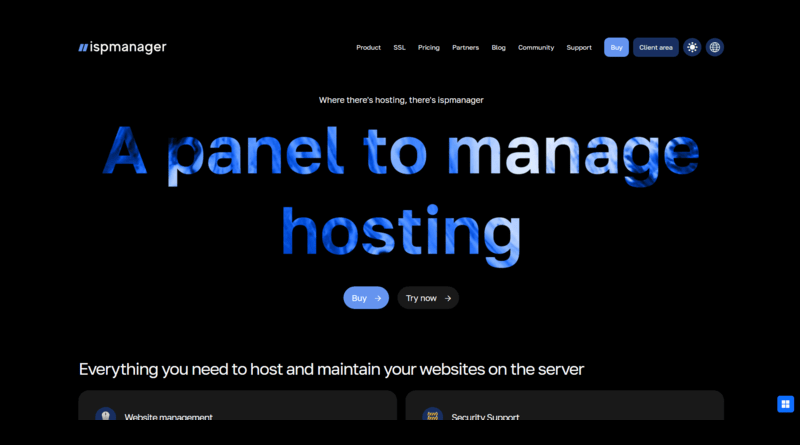
ISPmanager is a modern, lightweight hosting control panel designed for developers, agencies, and small hosting environments. It offers a clean UI, fast performance, and strong automation features, making it a practical alternative to cPanel for users who prefer a simpler, more efficient workflow.
Key Features
- Modern and intuitive dashboard
- Apache, NGINX, and PHP-FPM support
- Built-in DNS, file manager, and database tools
- Automatic SSL (Let’s Encrypt)
- Multi-user access with role-based permissions
- Docker support (higher tiers)
- API and CLI tools for automation
Pros
- Faster and lighter than cPanel
- Easy to use for both beginners and developers
- Supports multiple Linux distros, including Ubuntu and Debian
- Strong built-in security controls
Cons
- Smaller extension ecosystem than cPanel or Plesk
- Not ideal for large reseller hosting environments
How It Compares to cPanel
ISPmanager is more resource-efficient and easier to manage, making it ideal for VPS users who want simplicity and speed.
It is not better than cPanel for users who need a large plugin ecosystem, advanced reseller features, or integrations unique to cPanel.
Best For
- Developers
- Agencies
- Lightweight hosting environments
- Users running Ubuntu or Debian VPS servers
ISPmanager runs especially well on BigCloudy’s VPS infrastructure, and as an official partner, we also provide dedicated ISPmanager VPS hosting that delivers smooth performance, full compatibility, and a ready-to-deploy experience.
Plesk
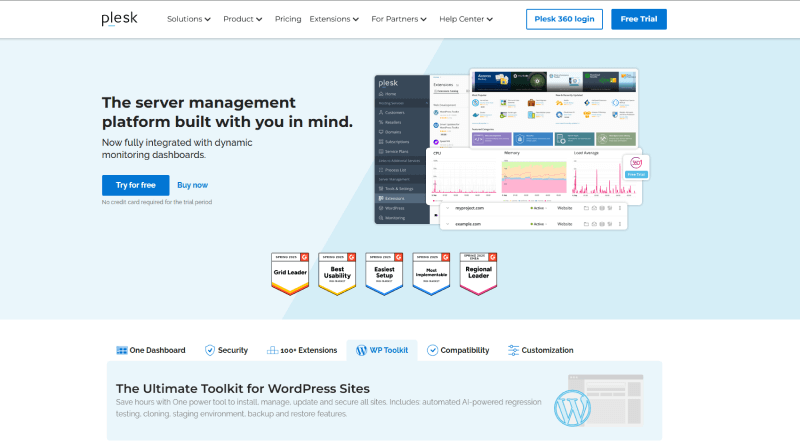
Plesk is one of the most advanced and feature-rich commercial hosting panels, offering a smooth, modern interface for managing websites, servers, and applications.
Its strong WordPress Toolkit, security suite, and Windows & Linux compatibility make it a top choice for agencies and developers.
Plesk maintains excellent stability and scalability, making it suitable for both small businesses and large hosting operations.
Key Features
- Advanced WordPress Toolkit
- Docker & Git integration
- Windows & Linux support
- Security suite, SSL & backups
Pros & Cons
Pros: Modern UI, feature-rich, supports multiple operating systems.
Cons: Higher cost than lightweight panels; can feel heavy on small servers.
How It Compares to cPanel
Plesk is better than cPanel for Windows hosting and WordPress management.
It’s not better if you prefer cPanel’s layout or want a bigger plugin ecosystem.
Best For
Agencies, freelancers, WordPress-heavy users, and mixed OS hosting.
Where Can I Purchase Licenses?
Directly from Plesk.com or hosting providers offering bundled licenses.
DirectAdmin
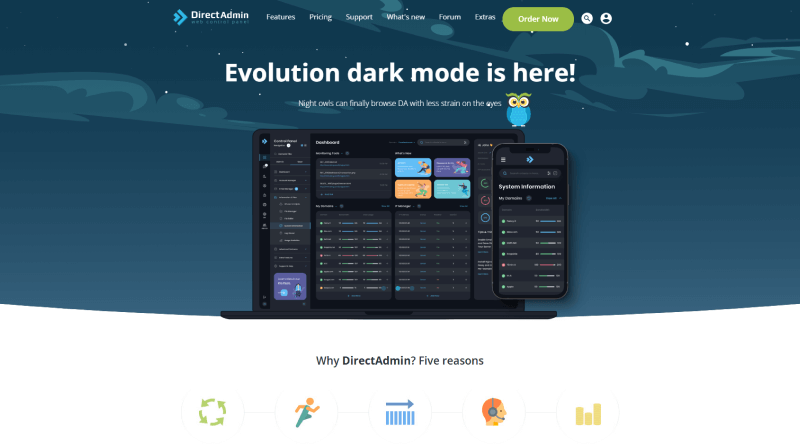
DirectAdmin is a lightweight, fast, and budget-friendly control panel designed for users who want cPanel-like functionality without high licensing costs.
Its clean interface, stability, and low server resource usage make it ideal for smaller hosting companies and resellers.
DirectAdmin delivers a reliable, predictable hosting experience while keeping overhead extremely low.
Key Features
- Clean UI with essential hosting tools
- Low resource usage
- Reseller & admin features
- AlmaLinux, Rocky Linux, and Debian support
Pros & Cons
Pros: Affordable, fast, stable, simple to manage.
Cons: Smaller extension ecosystem.
How It Compares to cPanel
DirectAdmin is better than cPanel in pricing and performance.
It is not better suited for users needing advanced integrations and enterprise add-ons.
Best For
Small hosting companies, resellers, and budget-conscious users.
Where Can I Purchase Licenses?
Directly from DirectAdmin.com or approved hosting partners.
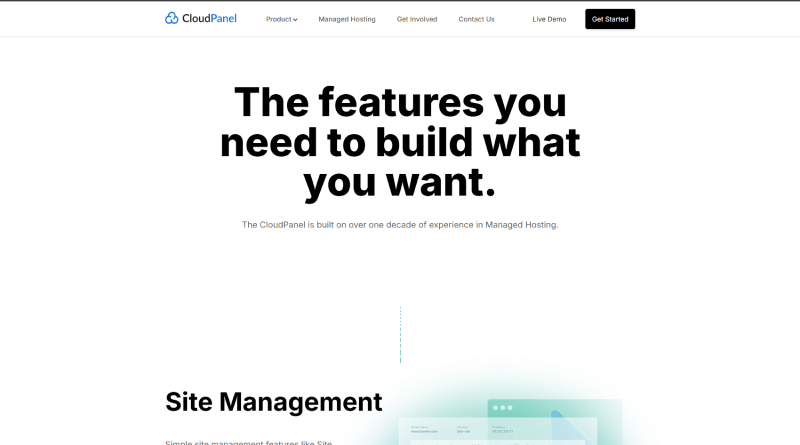
CloudPanel Premium delivers a cloud-optimized experience with a modern UI and extremely fast NGINX-based performance.
It’s built for developers, SaaS owners, and cloud-first teams who want speed, automation, and scalability on platforms like AWS, GCP, and DigitalOcean.
The Premium edition adds enterprise features that enhance security, monitoring, and efficiency across cloud environments.
Key Features
- NGINX-based performance
- Cloud integrations with AWS, GCP, and DigitalOcean
- Auto SSL, PHP versions, Redis, and MySQL management
- Strong security controls
Pros & Cons
Pros: Lightweight, extremely fast, ideal for VPS/cloud.
Cons: Lacks full shared hosting features, such as email hosting.
How It Compares to cPanel
CloudPanel is better than cPanel for developers, modern tech stacks, performance, and Ubuntu-based servers.
However, it is not better than cPanel if you need built-in email hosting, reseller tools, or a traditional shared-hosting environment.
Best For
Developers, cloud users, and anyone hosting modern applications.
Where Can I Purchase Licenses?
Available at CloudPanel.io.
Best Free & Open-Source cPanel Alternatives
Free and open-source cPanel alternatives are becoming increasingly popular as cPanel license costs rise. Below are the best free panels with features, pros/cons, OS support, comparisons with cPanel, and ideal use-cases.
CloudPanel (Free Version)
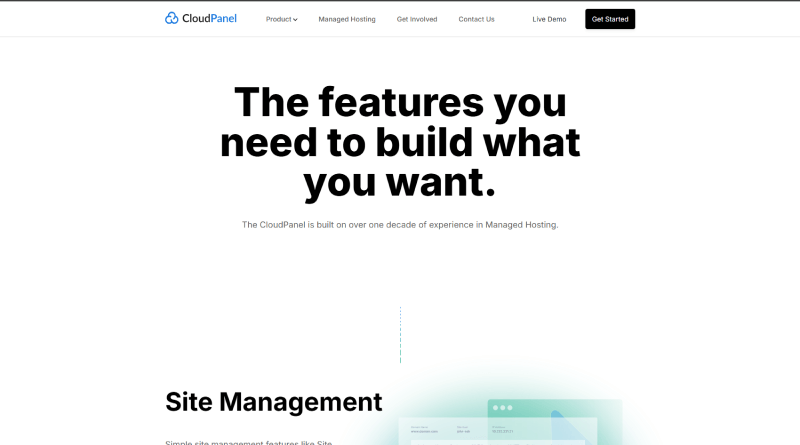
CloudPanel Free is a clean, ultra-fast control panel built specifically for modern cloud environments and Ubuntu servers. It uses a performance-optimized NGINX stack that delivers impressive speed for developers and high-traffic applications.
With a minimal, developer-focused dashboard, it’s one of the most popular free cPanel alternatives for VPS users.
Features
- NGINX-based ultra-fast stack
- One-click SSL
- Support for PHP, Node.js, and Redis
- Developer-friendly, minimal dashboard
Pros & Cons
Pros: Speedy, lightweight, and ideal for cloud VPS environments.
Cons: No built-in email hosting; limited to shared hosting or reseller use.
Supported OS
- Ubuntu (exclusive)
How It Compares to cPanel
CloudPanel Free outperforms cPanel in speed, efficiency, and cloud-focused workflows.
However, it lacks cPanel’s traditional shared hosting features such as email hosting, reseller tools, and a familiar cPanel-style UI.
Best For
Developers, cloud hosting users, and VPS users on Ubuntu.
CyberPanel (Open Source)

CyberPanel is a high-performance hosting panel powered by OpenLiteSpeed, offering exceptional speed for PHP and WordPress applications.
It includes email, DNS, FTP, staging tools, and WordPress automation, making it one of the most feature-rich free alternatives.
Although the UI is less polished, CyberPanel provides unmatched performance advantages for WordPress and WooCommerce users.
Features
- LiteSpeed/OpenLiteSpeed integration
- Built-in WordPress installer
- Email, DNS, FTP, file manager
- Staging & backup tools
Pros & Cons
Pros: Very fast for PHP/WordPress; strong feature set.
Cons: The Community version has occasional bugs; the UI feels less polished.
Supported OS
- Ubuntu
- CentOS
- AlmaLinux
How It Compares to cPanel
CyberPanel is better than cPanel for WordPress performance due to LiteSpeed.
It is not better for stability or long-term enterprise reliability.
Best For
WordPress sites, WooCommerce stores, and PHP-based websites.
Webmin + Virtualmin

Webmin and Virtualmin form a powerful combination for advanced users who need deep control over Linux systems.
They offer extensive configuration options for hosting, DNS, email, permissions, and system-level tasks.
While extremely flexible and capable, they are best suited for experienced sysadmins due to their complex interface.
Features
- Full Linux/UNIX system management
- Hosting, DNS, email, FTP
- Strong access control & configuration
- High customization
Pros & Cons
Pros: Compelling, community-supported, and flexible.
Cons: Not beginner-friendly; complex UI.
Supported OS
- Ubuntu
- Debian
- CentOS / AlmaLinux
How It Compares to cPanel
Webmin & Virtualmin are better than cPanel for developers needing deep server control.
It is not better for beginners who want a simple plug-and-play hosting panel.
Best For
Advanced Linux users, sysadmins, developers.
HestiaCP
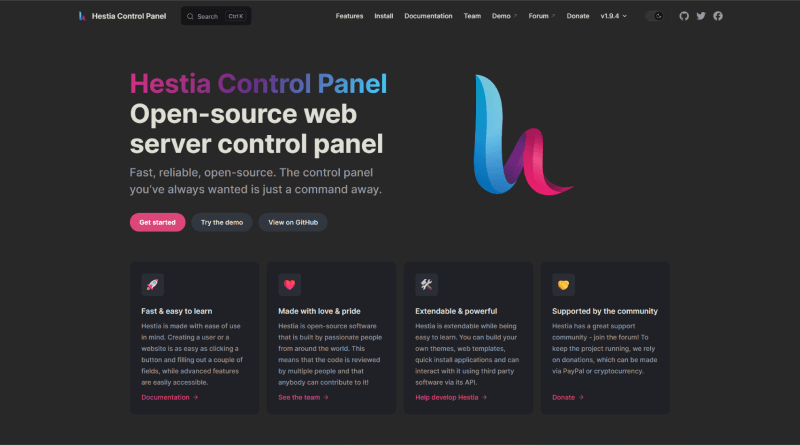
HestiaCP is a modern, lightweight panel derived from VestaCP, offering a simplified experience with a clean and friendly interface.
It supports NGINX and Apache templates, email, DNS, backups, and a straightforward workflow ideal for beginners.
With active development and strong community support, HestiaCP stands out as one of the easiest free panels available.
Features
- DNS, email, backups
- NGINX & Apache templates
- Clean, beginner-friendly UI
- CLI & API support
Pros & Cons
Pros: Lightweight, easy to use, actively updated.
Cons: Fewer advanced plugins; limited compared to full commercial panels.
Supported OS
- Ubuntu
- Debian
How It Compares to cPanel
HestiaCP is better than cPanel for beginners looking for a simple, free solution.
It is not better for users who need enterprise-level tools or advanced automation.
Best For
Beginners, freelancers, personal websites, small blogs.
ISPConfig
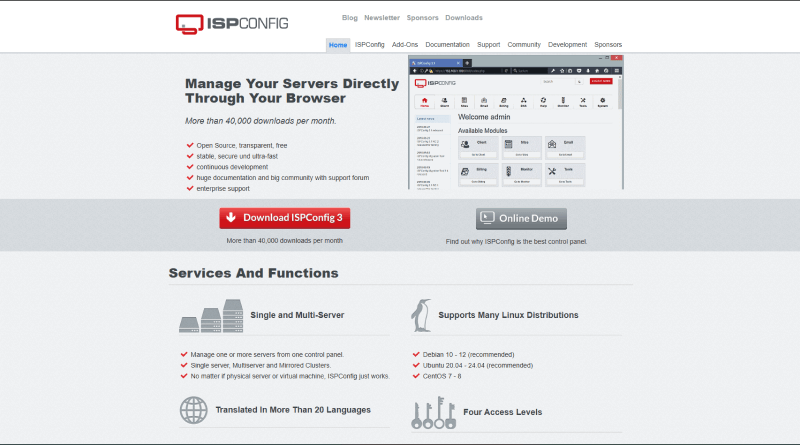
ISPConfig is a robust, enterprise-grade open-source panel capable of managing multi-server and multi-client environments.
It supports email, DNS, backups, FTP, clustering, and reseller accounts, making it one of the most powerful free tools.
Though its UI feels older and less intuitive, ISPConfig is unmatched for users needing deep control and scalability.
Features
- Multi-server & cluster support
- Email, DNS, FTP, backups
- Reseller & client management
- Strong security & permissions
Pros & Cons
Pros: Enterprise features, handles multiple servers.
Cons: UI feels old; higher learning curve.
Supported OS
- Ubuntu
- Debian
- CentOS (older)
How It Compares to cPanel
ISPConfig is better than cPanel for multi-server or reseller environments.
It is not better for beginners or users who want a modern interface.
Best For
Hosting companies, agencies, resellers.
aaPanel

aaPanel is a fast, intuitive, and developer-friendly control panel offering a wide range of one-click tools for server setup.
Its app-store style interface lets users deploy stacks, Docker, databases, and frameworks with ease.
With strong usability and active development, aaPanel is one of the most beginner-friendly free hosting panels today.
Features
- One-click LAMP/LNMP stack
- Docker, Node.js, and Python support
- File & DB manager
- An app store with hundreds of plugins
Pros & Cons
Pros: Intuitive UI; great for developers; wide feature support.
Cons: Some add-ons are paid; security depends on server configuration.
Supported OS
- Ubuntu
- CentOS
- Debian
How It Compares to cPanel
aaPanel is better than cPanel if you prefer a lightweight panel with developer tools.
It is not better for users who need built-in email hosting or reseller features.
Best For
Developers, VPS users, cloud users.
VestaCP (Community-Maintained)
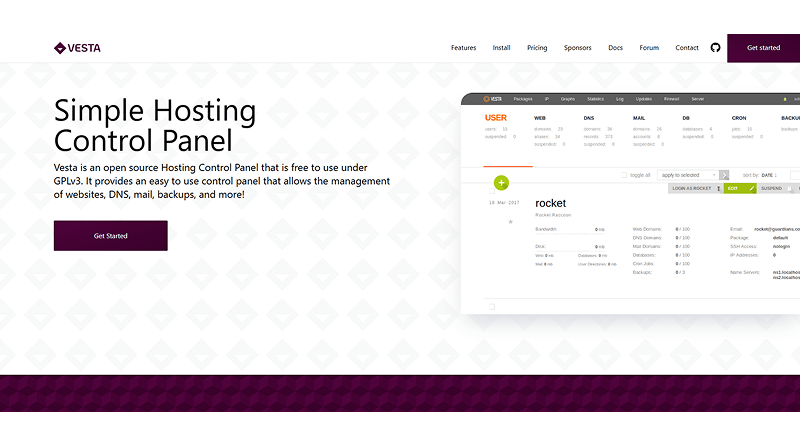
VestaCP is a simple and lightweight hosting panel designed for basic hosting tasks with minimal server load.
It supports email, DNS, backups, and NGINX/Apache configurations through a clean and minimal interface.
While it lacks advanced features and enterprise-grade security, it remains a reliable choice for small sites and personal projects.
Features
- Email, DNS, FTP
- Apache & NGINX support
- Simple UI
- Basic backup system
Pros & Cons
Pros: Easy to use, lightweight, perfect for small projects.
Cons: Community-maintained; not ideal for high-security environments.
Supported OS
- Ubuntu
- Debian
- CentOS (older)
How It Compares to cPanel
VestaCP is better than cPanel for small sites that need only basic hosting.
It is not better for business-critical hosting or enterprise-level stability.
Best For
Budget users, personal websites, test servers.
| Control Panel | Type | Key Advantages | Best For | Drawbacks |
|---|---|---|---|---|
| Plesk | Paid | Strong WordPress Toolkit, Windows/Linux support, modern UI. | Agencies, freelancers, WordPress-heavy hosting. | Higher cost; heavy on small servers. |
| DirectAdmin | Paid | Affordable, lightweight, stable, fast. | Small hosts, resellers, budget users. | Smaller plugin ecosystem. |
| ISPmanager | Paid | Modern UI, efficient, automation-friendly. | Developers, agencies, Ubuntu/Debian VPS. | Limited extensions; not ideal for big resellers. |
| CloudPanel (Free) | Free | Ultra-fast NGINX stack, cloud-optimized. | Developers, Ubuntu cloud VPS. | No built-in email hosting. |
| CyberPanel | Free | LiteSpeed performance, email, DNS, backups. | WordPress & WooCommerce sites. | UI less polished; bugs in free version. |
| HestiaCP | Free | Beginner-friendly, clean UI, NGINX/Apache. | Beginners, freelancers, personal sites. | Limited advanced plugins. |
| aaPanel | Free | One-click stacks, Docker/Node.js/Python. | Developers, VPS users. | Some add-ons paid; security varies. |
| ISPConfig | Free | Multi-server, reseller tools, strong permissions. | Hosting providers, agencies. | Old UI; harder for beginners. |
Which cPanel Alternative Is Best for You?
Choosing the right cPanel alternative depends completely on what you need, your budget, and the type of server you’re running. Here’s a simple breakdown to help you decide without confusion.
Best Overall Free Alternative: CloudPanel (Free)
If you want speed, a clean UI, and modern tech support (PHP, Node.js, Redis), CloudPanel Free is hard to beat.
It’s also one of the best cPanel alternatives for Ubuntu.
Choose it if:
- You’re a developer
- You’re hosting on cloud VPS (AWS, DO, Vultr, GCP)
- You want a fast, modern, lightweight panel
Best WordPress Alternative: CyberPanel
CyberPanel with OpenLiteSpeed is known for superfast WordPress performance.
Choose it if:
- You’re hosting WordPress or WooCommerce
- You want LiteSpeed caching for free
- You want email & DNS in a free panel
Best Budget-Friendly Paid Alternative: DirectAdmin
DirectAdmin is the closest affordable cPanel alternative that still gives you email, DNS, backups, reseller tools, etc.
Choose it if:
- You want cPanel-like features
- You run a small hosting business or reseller setup
- Your clients want a simple, reliable panel
Best Premium Alternative for Agencies: Plesk
Plesk offers the strongest WordPress Toolkit, plus Windows server support, something cPanel can’t do.
Choose it if:
- You manage multiple WordPress sites
- You want a polished UI and strong security tools
- You need Windows hosting support
Best for Multi-Server Management: ISPConfig
ISPConfig supports multi-server clusters and is widely used by hosting companies.
Choose it if:
- You run a hosting business
- You want an open-source control panel with reseller support
- You need multi-server environments
Best for Complete Beginners: HestiaCP or aaPanel
Both panels are effortless to use and perfect for first-time users.
Choose HestiaCP if:
- You want a clean, beginner-friendly UI
- You just need email, DNS, backups, and simple hosting
Choose aaPanel if:
- You like an app-store style interface
- You want one-click stacks
- You host Node.js, Python, or Docker apps
Final Verdict
There is no one best panel, but there is a best panel for your use case.
If you hate cPanel’s rising costs, these alternatives give you the same control, often with better performance and far lower pricing.
For most users today, CloudPanel, CyberPanel, DirectAdmin, and Plesk are the top picks.
Answers to Popular User Queries
Is there a free alternative to cPanel?
Yes. The best free alternatives include CloudPanel Free, CyberPanel, HestiaCP, aaPanel, ISPConfig, and Virtualmin.
They offer SSL, PHP switching, NGINX/LiteSpeed, and full server control without licensing costs.
Which is better, Plesk or cPanel?
Both are strong, but Plesk is better for:
- WordPress users
- Developers
- Cloud integration (AWS, Azure, GCP)
- Windows hosting
cPanel is better if you prefer a familiar interface and traditional hosting workflows.
For modern setups, Plesk usually offers more flexibility.
Which is the best hosting panel overall?
There isn’t a single best hosting panel for everyone; the ideal choice depends on your goals, experience level, and hosting environment. Here’s a quick breakdown to help you decide:
- Best Free Panels: CloudPanel, CyberPanel, HestiaCP
- Best Paid Panels: Plesk (full-featured), ISPmanager (lightweight & efficient)
- Best Performance: CloudPanel (ultra-fast NGINX/LiteSpeed stack)
- Best for Agencies: DirectAdmin or Plesk
- Best for Beginners: aaPanel
- Best for Developers: CloudPanel or ISPmanager
Each panel shines in different areas, so the right choice depends on whether you prioritize speed, simplicity, budget, or advanced features.
How to Choose the Right Control Panel (Important Buying Guide)
Picking the right hosting control panel becomes much easier when you focus on the factors that actually affect performance, security, and long-term usability. Whether you’re managing one site or hundreds, here are the key things you should always check before choosing a cPanel alternative.
1. Security Features
Look for built-in tools like firewalls, malware scanning, two-factor authentication, auto-updates, and user isolation. Strong security is essential because most server issues start with weak panel protection.
2. OS Compatibility (Ubuntu, AlmaLinux, Debian)
Different panels support different operating systems:
- Ubuntu users, CloudPanel, HestiaCP, aaPanel
- AlmaLinux/Rocky, DirectAdmin, Plesk
- Debian-based setups, CloudPanel, ISPConfig
Always match your panel to the OS you’re comfortable managing.
3. Resource Usage
Lightweight panels (CloudPanel, HestiaCP, aaPanel) use fewer server resources, leaving more CPU/RAM for your website. Heavy panels can slow down small servers, especially VPS setups.
4. Support & Community
Paid panels like Plesk or DirectAdmin offer dedicated support.
Free panels rely on community forums.
If you’re a beginner or running client sites, reliable support is a big advantage.
5. License Cost
Paid panels offer polished UIs and advanced tools, but pricing rises with more accounts or domains.
Free alternatives offer full control without a monthly cost, ideal for developers, hobby projects, and small businesses.
6. Ecosystem & Plugin Availability
Some panels have powerful ecosystems:
- Plesk– WordPress Toolkit, security plugins, staging, migrations
- aaPanel– one-click app store
- CyberPanel– built-in LiteSpeed/Caching tools
A stronger ecosystem means faster setup and fewer manual configurations.
Which control panels offer similar features to cPanel?
If you want a control panel that feels close to cPanel with tools like file management, DNS editing, email hosting, PHP version control, database management, and free SSL, these panels offer the closest match:
Plesk
The strongest commercial alternative, with built-in WordPress tools, advanced security, and a polished UI.
DirectAdmin
Lightweight, fast, and stable with full email, DNS, FTP, and reseller support, very close to cPanel’s structure.
CloudPanel
A modern, high-performance alternative focused on NGINX, PHP-FPM, and speed, excellent for developers and Ubuntu users.
CyberPanel
LiteSpeed-powered panel with one-click WordPress tools, email hosting, DNS, SSL, and a familiar layout.
aaPanel
Beginner-friendly, visually simple, and feature-rich, offering full server control without licensing fees.
Why are these panels closest to cPanel?
All of them support the essential hosting features users expect:
- File management
- DNS control
- Email hosting (except CloudPanel Free)
- MySQL/MariaDB management
- Free SSL (Let’s Encrypt)
- PHP version switching
- User accounts
- Easy website/application deployment
Some even offer better performance, cleaner interfaces, and lower long-term cost compared to cPanel.
Run Your Favorite Control Panel on a Faster, More Affordable Server
Skip the heavy licensing costs and slow hosting.
With BigCloudy NVMe VPS, your sites load faster, setup is easier, and every control panel, CloudPanel, CyberPanel, and DirectAdmin, works beautifully.
Deploy Your Server in 60 Seconds
Conclusion
cPanel is still one of the most popular hosting control panels, but its rising license costs make it harder for beginners, freelancers, and small businesses to afford. The good news is that there are plenty of strong paid and free alternatives that offer the same core features and, in some cases, even better performance and flexibility.
If you’re an Ubuntu user or someone working with a tight budget, open-source panels like CloudPanel, CyberPanel, aaPanel, and HestiaCP give you everything you need without the heavy monthly fees. These free tools are fast, modern, and powerful enough for most personal sites, client projects, and VPS deployments.
Before committing to an expensive cPanel license, it’s worth exploring these free and affordable alternatives. You may find a solution that fits your hosting needs perfectly without overspending.
FAQs
DirectAdmin is best for lower cost, speed, and simplicity, while cPanel is better for advanced tools and a larger ecosystem. DirectAdmin wins for budget users; cPanel wins for resellers and shared hosting providers.
cPanel usually costs $15–$60+ per month, depending on how many accounts you host. More accounts higher cost due to per-account billing.
For VPS environments, the best options are CloudPanel, CyberPanel, aaPanel, and DirectAdmin. They use fewer server resources and offer better performance compared to cPanel’s heavier stack.
HestiaCP, aaPanel, Plesk, and DirectAdmin are the easiest for beginners due to their simple dashboards and clean interfaces.
Yes. ISPmanager includes built-in email hosting tools, making it suitable for users who want a complete hosting environment without third-party email services.
Its main drawbacks are high pricing, per-account charges, no Ubuntu support, and heavy resource usage on small VPS servers.
ISPmanager works on most Linux-based VPS servers, but it performs best on fast, NVMe-powered hosting environments. Many users look for providers that offer native compatibility and optimized configurations for the panel. BigCloudy is an official ISPmanager partner, which means our VPS infrastructure is pre-tested for smooth deployment, stable performance, and full feature support. This makes it a reliable option for users who want an environment built specifically for ISPmanager.