


Your app handles sensitive user data.
Financial records. Personal information. Business-critical files. Data that absolutely cannot leak.
Last month, you probably read about yet another SaaS company getting breached. The investigation later revealed that the weak point wasn’t their code, it was their hosting environment. A shared cloud setup became the entry point. Now they’re facing lawsuits, regulatory fines, and a damaged reputation that may never fully recover.
And that hits close to home.
You are likely running on a cloud server because it was fast and easy to launch. But as your business grows and enterprise clients start asking serious security questions about isolation, compliance, and data ownership, you start wondering:
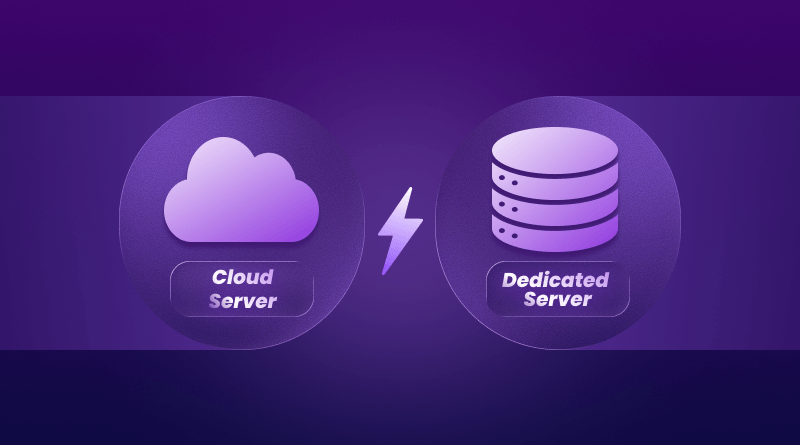
Is cloud hosting still enough, or should you move to dedicated server hosting?
Dedicated servers promise complete physical isolation.
Cloud servers promise enterprise-grade security and flexibility.
So which one actually keeps your data safer in 2026?
Let’s cut through the marketing and break down what truly protects your users, your company, and your reputation so you can choose the right server with confidence.
Why Your Server Choice Actually Matters
Your server isn’t just where your site lives. It’s the engine running your whole online business. When it breaks, everything stops.
Downtime costs money. Big companies lose about $9,000 every minute their sites are down. Even for smaller businesses, every offline minute means lost customers and damaged reputation.
Speed determines who stays. Almost half of people expect sites to load in two seconds. Just one extra second? You lose 7% of potential customers. Your cloud server hosting or dedicated server controls this speed.
Bad security destroys trust. Whether you handle payments or just collect emails, your hosting is your first line of defense. Pick wrong, and hackers find easy targets.
Growth becomes painful. What works for 500 visitors won’t work for 5,000. Choose poorly now, and you’ll either waste money or panic when traffic jumps.
The stakes are real. Let’s get this right.
What is a Cloud Server?
Think about renting an apartment in a huge building. You have your own space, but you share the building’s stuff – elevators, water, security etc with everyone else.
That’s cloud hosting.
Cloud servers use something called virtualization. Your site doesn’t sit on one computer. It spans multiple connected servers, functioning as a single system. When one server dies, another takes over instantly. You don’t notice. Your visitors don’t notice.
How Cloud Server Hosting Works
Here’s what makes cloud different:
- Resources are virtual, not stuck on one machine
- Multiple servers share your workload automatically
- You can add storage or power in minutes
- Someone else fixes hardware problems
This explains why 92% of big companies now use cloud services. They’re not putting everything in one place.
Who Loves Cloud Servers?
Cloud hosting works great when you:
Run seasonal businesses. Online stores can beef up for holiday sales, then shrink back in January. You stop paying for resources you’re not using.
Need to start fast. Launch new projects in minutes, rather than waiting days for hardware setup.
Work with remote teams. Cloud tools let everyone access everything from anywhere with an internet connection.
Want less tech stress. Cloud companies handle updates, patches, and fixes. You focus on customers, not servers.
Understanding Dedicated Servers
Now imagine owning your entire building instead of renting a single apartment. Every room is yours. No neighbors. No sharing. You control everything.
That’s dedicated server hosting.
What Makes It “Dedicated”?
When you rent a dedicated server, you get one whole physical computer. The brain, memory, storage, and internet speed serve only your stuff. Nobody else touches it.
This exclusive access gives you:
- Steady performance that doesn’t bounce around
- Total control over security and software
- Freedom to customize everything
- Predictable monthly bills
The best dedicated server hosting can handle huge workloads that would crush shared setups.
When Dedicated Makes Sense
Dedicated servers work best when you:
Get tons of consistent traffic. Thousands of people visiting daily need dedicated power. No fighting for resources.
Handle sensitive information. Healthcare, finance, and legal businesses need the separation that dedicated servers provide.
Run heavy applications. Big databases, video work, or gaming servers need serious muscle. Dedicated hardware delivers.
Have tech people on staff. Managing dedicated servers requires knowledge. Got the team? You’ll love the control. Don’t have it? Consider VPS hosting instead.
Cloud vs Dedicated Server: Real Differences
Let’s compare what actually matters to your business:
| Feature | Cloud Server | Dedicated Server |
| Price | $10–50/month to start | $139–600+/month fixed |
| Speed | Great, can vary slightly | Rock solid, always fast |
| Scaling | Instant, click to add | Slow, needs hardware |
| Setup | Minutes | Hours |
| Control | Limited options | Total freedom |
| Security | Strong, but shared | Maximum, isolated |
| Best For | Changing needs | Steady high traffic |
| Skills Needed | Basic | Technical |
What You’ll Pay
Cloud hosting works on a pay-as-you-go basis. Starts at $10- $ 30 per month – perfect for testing ideas or light traffic.
But watch out. Heavy use might push bills to $200-400 or more. You pay for flexibility, which costs more when you always need it.
Dedicated server hosting starts at around $139 per month. Powerful setups hit $400-600+. The price stays the same no matter what.
When you need those resources 24/7, a dedicated server often costs less than a cloud. It’s like buying versus renting – more upfront, less long-term.
Some companies offer cheap dedicated server options for around $100 per month, though quality varies.
Speed Story
Cloud server hosting delivers great speed most of the time. You share infrastructure, so performance might dip slightly during high-traffic periods.
For most businesses, you barely notice. Sites still load fast.
Dedicated servers give rock-solid consistency. Everything’s yours alone. No “noisy neighbor” issues where someone else’s traffic slows you down.
Heavy stuff – databases, video work, real-time analytics – runs noticeably faster on dedicated hardware.
Growing Pains (Or Lack Thereof)
Cloud wins for easy growth. Need double storage by Thursday? Click done. Traffic exploding? Scale up in minutes with no downtime.
Just like WordPress hosting adapts to content sites, cloud services adapt to your needs.
Dedicated servers need advanced planning. Upgrading means scheduling hardware swaps, maybe moving to new machines, and coordinating tech work. You can’t just click and double your memory.
Security Approaches
Both cloud hosting and dedicated server options can be secure, but they work differently.
Cloud companies spend millions on security. You get enterprise firewalls, threat protection, and encryption. The shared setup means trusting them to keep everyone separated properly.
Dedicated servers give you complete control over security. Set up firewalls your way. Use custom encryption. Lock things down precisely.
This rocks if you know your stuff – or becomes risky if you don’t.
Real Story: Maya’s Journey
Maya started a project tool for freelancers in early 2024. She began with cloud server hosting at $25 monthly – perfect for 200 beta users.
Eight months later? 2,000 active users. Cloud scaled automatically. Her bill hit $180 monthly, but everything handled the growth smoothly.
By month 15, she served 8,000 users on complex projects. Cloud costs reached $400 monthly for the resources she needed constantly. She switched to a $300/month dedicated server. Better performance at 25% lower cost.
The lesson? Start where you are now. Maya chose smart each time by matching hosting to real needs, not guesses.
Your path looks different. That’s fine. What matters is choosing based on today’s reality.
Which Should You Pick?
Go Cloud When:
You are testing something new. Changing traffic means you’d waste money on unused dedicated power.
Your business has seasons. Online stores crushing holiday sales can scale up, then back down.
You lack tech staff. Cloud companies handle updates and fixes. You focus on customers.
Starting budget matters most. Pay-as-you-go keeps costs low while building revenue.
Go Dedicated When:
You serve heavy traffic consistently. Needing power 24/7 makes dedicated better value.
You handle sensitive data. Financial, healthcare, and legal stuff benefit from complete separation.
You need custom setups. Dedicated lets you customize everything exactly the way you want.
You have tech people. You can use total control to optimize perfectly.
Try Hybrid:
Many businesses use both. Run core stuff on a dedicated server for reliability. Use the cloud for backups, testing, or traffic spikes.
Combining cPanel hosting for management with dedicated resources creates a powerful middle ground.
Conclusion
Be honest about needs. Write down average traffic, peak times, and seasonal patterns. List must-have tech requirements.
Calculate real costs. Use calculators from multiple hosts. Include everything – base price, backups, security, support. Compare 12-month totals.
Start right-sized. Most businesses begin with the cloud because it’s easier and more flexible. When you outgrow it, you’ll have real data showing what you need.
Test first. Find month-to-month billing or money-back guarantees. Experience service before locking into year-long contracts.
Your server choice matters hugely, but it’s not forever. Make the right pick for where you stand today, knowing you can change as needs shift. Ready to explore your options? BigCloudy offers both cloud hosting and dedicated servers with expert support to help you choose the right one.
FAQs
Nope. Cloud hosting vs dedicated server costs depend on your use. Cloud wins for low or changing traffic – maybe $10-50 monthly. But constant high needs often cost less on a dedicated server. Check your average use over six months, then compare prices.
Yes, though you’ll need planning. Most good hosts help with moves. Expect some tech work – backing up, configuring new stuff, testing, switching over. Brief downtime might happen. Switch during slow hours.
Cloud servers usually have built-in backups through a spread-out infrastructure. One server dies? You move to another automatically, often with zero downtime. Dedicated server relies on a single hardware, though good hosts provide backup systems. Both can hit 99.9%+ uptime when done right.
Yes. Managing dedicated server hosting effectively requires solid skills. You’ll handle setup, security patches, software, firewalls, and fixes. If SSH access and server hardening sound foreign, stick with managed cloud.
Cloud typically deploys in minutes. Sign up, pick settings, upload your site – done. A dedicated server takes longer, usually hours, for full setup. But that time investment is one-time. Once configured, it runs smoothly for months.
Absolutely. Cloud hosting crushes traffic surges – perfect for seasonal businesses. During Black Friday, scale instantly to handle the rush. When January slows down, scale back and stop paying for unused capacity.
Unlike cloud-based automatic backups, dedicated server failures require manual intervention. This is why backups matter critically. Set up regular automated backups to a separate storage location. Test restoring quarterly. Hardware failures are rare with good equipment, but preparation prevents panic.
Yes. Hybrid combines cloud flexibility with dedicated power. Many run core apps on dedicated hardware for consistent speed while using the cloud for backups, testing, or traffic spikes. Costs run higher but deliver maximum adaptability.