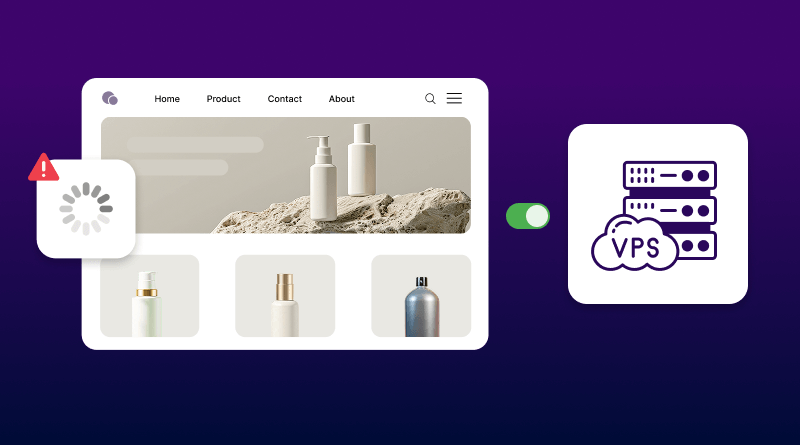







A slow e-commerce website can cost you more than traffic. It can lead to abandoned carts, frustrated shoppers, and lost sales. In 2026, customers expect online stores to load quickly, work smoothly on mobile devices, and provide a secure, frictionless checkout experience.
In this guide, we’ll cover practical ways to improve your e-commerce website performance, from speed and mobile optimization to hosting, security, checkout, and scalability.
Why E-commerce Performance Matters
Website performance directly affects how shoppers experience your store and whether they complete a purchase. Slow pages, delayed interactions, complicated checkout steps, and poor mobile experiences can create friction at critical points in the buying journey.
Performance also extends beyond page speed. Your hosting environment, Core Web Vitals, mobile usability, checkout experience, security, and site stability all contribute to how easily customers can browse and buy.
A faster, more reliable store gives visitors fewer reasons to leave. It can also support better engagement, smoother conversions, and a stronger overall shopping experience.
For e-commerce businesses, performance is not simply a technical concern. It is part of the customer journey and can influence how effectively your website turns visitors into customers.
Speed Optimization: Your First Priority
Before optimizing your store, test its current performance with Google PageSpeed Insights. Check the Core Web Vitals and diagnostics instead of relying only on the overall score.
Core Web Vitals That Matter
The three current Core Web Vitals are:
- Largest Contentful Paint (LCP): 2.5 seconds or less
- Interaction to Next Paint (INP): 200 milliseconds or less
- Cumulative Layout Shift (CLS): 0.1 or less
Focus especially on product, category, and checkout pages where delays can affect the shopping experience.
Optimize Your Images
Large product images can quickly increase page weight. Compress images, resize them to the required dimensions, and use modern formats such as WebP or AVIF.
Also use responsive images and lazy loading for below-the-fold content. Avoid lazy loading your main above-the-fold product image.
Use CDN & Caching
A CDN delivers static content from servers closer to visitors, while caching reduces repeated work on your origin server.
Use:
- Browser caching for static files
- Page caching where appropriate
- Object caching for database queries
For dynamic e-commerce pages, make sure cart, checkout, and account pages are excluded from generic page caching.
Remove Unnecessary Scripts
Analytics, chat widgets, ads, reviews, and other third-party tools can slow down your store. Remove unused scripts and delay nonessential ones so important content and interactions load first.
Optimize Your E-commerce Website for Mobile
Mobile performance should be a priority because many shoppers browse and purchase from smartphones. A responsive design, fast-loading pages, and an easy checkout can remove unnecessary friction from the buying journey.
Make Your Store Mobile Friendly
Start by testing your website on real mobile devices and different screen sizes. Then:
- Use a responsive layout without horizontal scrolling
- Keep navigation simple and easy to reach
- Use readable text and sufficiently large tap targets
- Keep important actions such as Add to Cart visible
- Compress images and reduce unnecessary scripts
- Test product pages, search, cart, and checkout on mobile
Do not assume that a desktop-optimized store will automatically provide a good mobile experience.
Simplify the Checkout
A complicated checkout can make customers leave before completing their purchase. Keep the process focused on what is necessary to complete the order.
Use guest checkout, enable browser or payment autofill where appropriate, show delivery costs before the final step, and remove unnecessary form fields. Test the complete checkout process regularly on both Android and iOS devices.
Consider a PWA When It Fits
A Progressive Web App can provide app-like features through a web browser, including installation on supported devices and offline functionality for suitable experiences.
A PWA can be useful for stores that have a strong repeat customer base, but it is not a requirement for a fast e-commerce website. Fix core performance and usability issues first.
Secure Your E-commerce Website
Security and performance go hand in hand. A compromised website can affect customer trust, availability, and the integrity of the shopping experience.
Enable HTTPS
Use HTTPS across the entire website and keep your SSL certificate valid. Make sure HTTP requests redirect correctly to HTTPS and avoid mixed content.
An SSL certificate encrypts data in transit, but HTTPS alone does not make an e-commerce website fully secure.
Secure Payments
Use a reputable payment processor and follow its recommended integration method. Outsourcing payment processing can reduce the amount of cardholder data handled by your systems, but it does not automatically remove all PCI DSS responsibilities. Your actual requirements depend on how payments are implemented.
Keep your e-commerce platform, plugins, themes, server software, and payment integrations updated. Use strong administrator passwords and enable multi-factor authentication wherever available.
Protect Against Attacks & Data Loss
Use a web application firewall or suitable security service, DDoS protection, malware monitoring, and automated backups.
Keep at least one backup separate from the production server so a server failure or security incident does not destroy both your website and its backup.
Improve Your E-commerce Conversion Rate
Once your store is fast and reliable, remove unnecessary friction from the buying process.
Make Checkout Easier
A practical checkout should:
- Offer guest checkout
- Ask only for necessary information
- Show shipping charges and delivery estimates early
- Provide familiar payment methods
- Work smoothly on mobile devices
- Display clear error messages when information is missing
Test the complete checkout regularly instead of assuming it works because the website itself is loading correctly.
Optimize Product Pages
Your product pages should answer the questions a customer has before buying.
Include:
- Clear product images with zoom functionality
- Price, availability, and delivery information
- Important specifications and product details
- Reviews and ratings where available
- A prominent Add to Cart or Buy Now button
- Clear information about returns and warranties
Keep the most important buying information visible without forcing visitors to search through large blocks of text.
Use Reviews as Social Proof
Genuine customer reviews can help shoppers evaluate products and make purchasing decisions. Make reviews easy to find and, where appropriate, allow customers to include photos or other useful details.
Do not manufacture reviews or incentivize customers in ways that misrepresent their opinions.
Choose Hosting That Can Handle Your Store
Hosting affects the resources available to your website, but there is no universal visitor or order threshold at which every store needs a VPS or dedicated server.
Look at your actual resource usage, traffic patterns, response times, and error logs before upgrading.
When Should You Upgrade Hosting?
Consider moving to a more capable hosting environment when:
- CPU or RAM usage regularly reaches its limits
- Your store slows during traffic spikes
- Database queries become a bottleneck
- You experience frequent server errors or timeouts
- Your current plan cannot provide the resources your store needs
The right upgrade depends on your platform, traffic, application workload, and configuration.
Improve E-commerce Performance with BigCloudy
BigCloudy provides e-commerce hosting designed for stores that need reliable resources, fast storage, and a managed hosting environment. Its WooCommerce hosting includes NVMe storage, caching, backups, SSL, and performance-focused infrastructure.
If your current hosting struggles with slow response times, traffic spikes, or resource limits, moving to an e-commerce-ready hosting environment can give your store a stronger foundation.
Final Thoughts
A high-performing e-commerce website is fast, mobile-friendly, secure, and easy to use. Start by measuring your current performance, then optimize the areas creating the most friction, such as images, caching, checkout, security, and hosting.
You do not need to fix everything at once. Make improvements, measure the results, and keep refining the shopping experience as your store grows.
FAQs
Your goal should be under 2 seconds on desktop and under 3 seconds on mobile. Anything slower significantly impacts bounce rates and conversions. Google PageSpeed Insights will show you exactly where you stand and what needs fixing.
Shared hosting puts your site on a server with hundreds of other websites, sharing resources and competing for bandwidth. Managed WooCommerce hosting provides dedicated resources optimized specifically for online stores, with automatic updates, built-in caching, and security features. The performance difference becomes obvious once you exceed 500 daily visitors.
Yes, especially if you sell internationally or have significant image/video content. CDNs reduce load times by 50-60% for visitors outside your hosting server’s region. Even a basic CDN implementation with Cloudflare (free) provides noticeable performance improvements.
Start with checkout simplification. Reduce form fields to essentials only, enable guest checkout, use large tap-friendly buttons, and show shipping costs early. Auto-fill capabilities and saved payment options (like Apple Pay or Google Pay) significantly improve mobile completion rates.
Customers notice SSL certificates (the padlock icon and HTTPS in the address bar), trust badges from recognized payment processors, visible security seals, and clear privacy policies. They also notice their absence, which immediately raises red flags about the site’s legitimacy.