


Experts estimate that by 2027, cybercrime could drain $23 trillion from the global economy. That’s a staggering sum for something most people never see coming.
Somewhere in the world, a website is hacked every 39 seconds. On average, a single data breach costs nearly $5 million – and that number keeps climbing. Here’s what really matters if you run a small business: nearly half of all attacks go after businesses just like yours, and most never recover if they’re hit.
Running a website without strong security? That’s not being careful – it’s rolling the dice with everything you’ve built, including your customers’ trust.
The good news is you don’t need to be a tech genius or spend a fortune to stay safe. Today’s security tools are built for regular people – many of them are free, and they work right out of the box.
This guide breaks down the 10 website security tools that actually work, from simple free scanners to professional-level defenses. No matter if you’re running a personal blog or a full-blown online store, you’ll find something that fits your needs.
Why Website Security is Important
Bots – millions of them – crawl the internet 24/7 looking for weak spots. They don’t care if you’re Amazon or running a three-page WordPress site. Since COVID hit, cyberattacks have doubled. These bots just want an easy target, and an unprotected website is like leaving your front door wide open with a “rob me” sign.
What actually happens when things go south?
Money disappears fast: It’s not just the hack itself. You’ve got downtime, investigators, lawyers, and possible fines. Then there are all the customers who bail.
Your reputation tanks overnight: People trust you with their info – emails, passwords, credit cards. One breach, and that trust evaporates. Good luck getting it back.
Recovery drags on forever: Studies show it takes about 241 days (that’s eight months!) just to identify and contain a breach. Imagine bleeding customers and cash for that long.
The threats aren’t getting easier either. Hackers now use AI to write phishing emails that look legit. Ransomware gangs literally have customer service departments. This isn’t some basement hacker anymore – it’s organized crime.
What’s Actually Attacking Your Website
Before we get into solutions, you need to know what you’re up against. Think of it like learning about burglars before installing a security system.
Malware and Ransomware
Malicious software sneaks onto your site and either quietly steals data or locks you out completely. Ransomware attacks alone are expected to cost $265 billion every year by 2031. The attackers want money, and they’re getting pretty good at getting it.
Phishing Scams
Attackers build fake pages that look exactly like your login screen. Users type in their passwords, thinking they’re on your site. Boom – hacker’s got access. The fake pages are getting so good that even careful people fall for them.
SQL Injection
This one’s old but still works. Hackers slip malicious code into your database queries. If it works, they’re suddenly looking at everything – customer data, passwords, payment info. Everything.
DDoS Attacks
Someone floods your site with fake traffic until it crashes. Real customers can’t get through. Your site’s basically dead until you stop the attack. Sales? Gone.
Cross-Site Scripting (XSS)
Bad code gets injected into your pages. When people visit, that code runs in their browser and can steal their session info or send them to malicious sites. They think they’re safe on your domain, but they’re not.
How to Choose the Right Security Tools
Here’s the thing: your buddy’s photography portfolio doesn’t need the same level of security as your e-commerce store. Different sites need different protection.
Ask yourself a few questions:
What kind of data are you handling? Just collecting email addresses? Basic protection works. Processing credit cards? You need serious certifications in security and compliance.
How tech-savvy are you? Some tools install with one click. Others? You’ll need to know your way around a terminal and config files.
What’s your budget look like? Free tools can honestly handle most attacks. Paid versions give you faster support, more features, and someone to call when things break.
Any regulations you need to follow? Healthcare, finance, and bigger e-commerce sites often need specific security features to meet GDPR, HIPAA, or PCI-DSS requirements.
Top 10 Essential Website Security Tools
Alright, enough theory. Here’s what actually works:
1. Cloudflare – Your First Line of Defense
Cloudflare sits between visitors and your site, filtering out the garbage before it even touches your server. Their free tier is honestly incredible – it includes DDoS protection, SSL certificates, and faster site load times through caching.
Works for: Pretty much any website. Small blog? Check. Growing business? Check. Just starting out? Definitely check.
2. Sucuri – When You Need a Doctor for Your Site
Sucuri finds malware and actually removes it. Their free scanner checks for infections, blacklist status, and known vulnerabilities. Pay for the premium version, and you get 24/7 monitoring plus guaranteed cleanup if something slips through.
Works for: WordPress sites, especially, and anyone who wants professionals on speed dial.
3. Wordfence – Built for WordPress
WordPress runs 43% of the internet, so it’s a massive target. Wordfence is built specifically for it 0 firewall, malware scanning, and login protection, all from your WordPress dashboard. Free version’s solid. Premium adds real-time threat updates.
Works for: WordPress users who want everything in one place.
4. SSL/TLS Certificates – Not Optional Anymore
Every site needs HTTPS now. No exceptions. SSL certificates encrypt data between your visitors and your server. Most decent hosting providers include free certificates from Let’s Encrypt.
Works for: Every single website on the internet. Seriously.
5. Qualys SSL Labs – Making Sure Your Encryption Actually Works
Having SSL isn’t enough if it’s set up wrong. Qualys scans your HTTPS setup and tells you exactly what needs fixing – weak encryption methods, outdated protocols, misconfigurations.
Works for: Sites handling sensitive stuff that need to verify their security is actually secure.
6. OWASP ZAP – Deep Scanning That’s Free
This open-source tool digs deep into vulnerabilities, including SQL injection points and XSS weaknesses. A bit more technical than the others, but it’s thorough and free.
Works for: Developers and IT teams who want professional results without enterprise pricing.
7. Detectify – Scanning on Autopilot
Detectify continuously checks your site for over 1,500 vulnerabilities. Ethical hackers keep updating it with new threats. The dashboard makes prioritizing fixes pretty straightforward.
Works for: Growing businesses that need monitoring but can’t afford a security team.
8. UpGuard – See Yourself as Hackers Do
UpGuard looks at your site from the outside, grading your public security. It finds exposed services, DNS misconfigurations, and other issues you might miss from inside your network.
Works for: Companies worried about their public-facing attack surface.
9. Two-Factor Authentication – Stop Password Attacks Dead
2FA adds a second verification step – usually a code from your phone. It blocks 99.9% of automated login attacks. Google Authenticator, Authy, Duo – all work great.
Works for: Any site with login pages. Especially if you’re handling user accounts or admin access.
10. Automated Backups – Your Insurance Policy
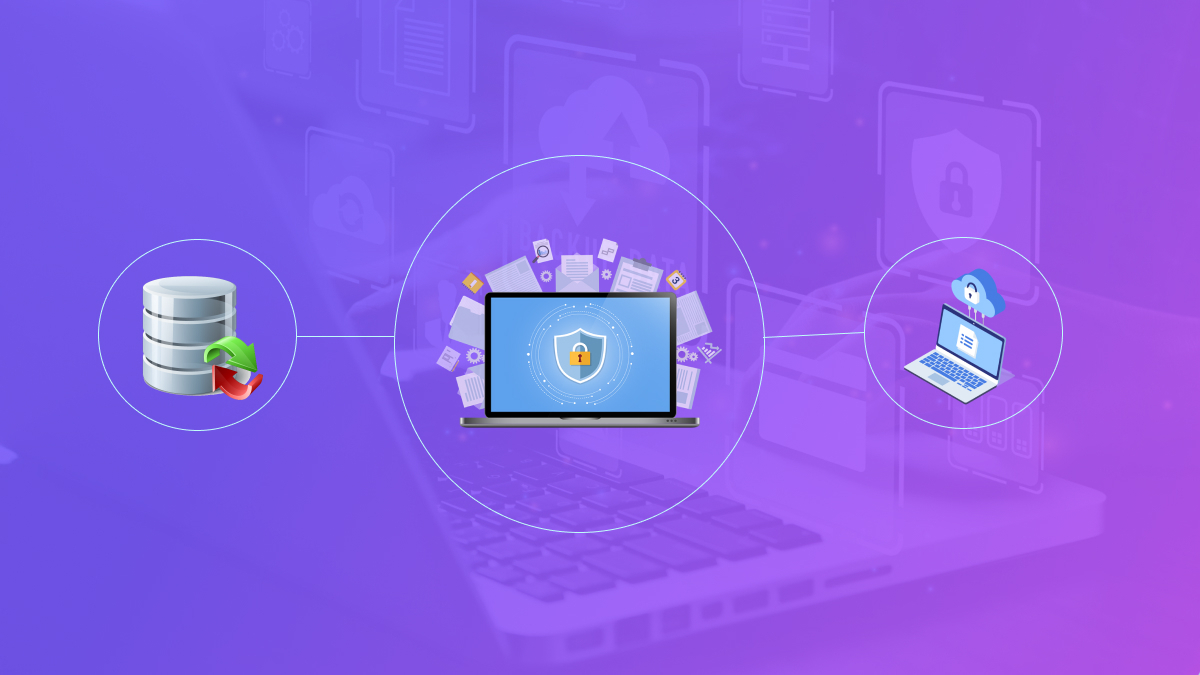
Even perfect security fails sometimes. Regular backups mean you can restore your site fast after an attack. Get something that backs up both files and the database automatically to the cloud.
Works for: Everyone. This isn’t optional. Think of it like insurance – you hope you never need it, but you’ll be grateful when you do.
Free vs. Paid: What’s Actually Worth Money?
Stick with free tools when:
- Your site’s small without much sensitive data
- You’ve got time to manually check things regularly
- Emergency support isn’t critical
Upgrade to paid when:
- You’re handling payments or personal information
- Downtime actually costs you money
- You want guaranteed cleanup and support
- Regulations require specific security features
Most people should start free and upgrade as they grow. A personal blog? Free’s fine. An online store doing hundreds of transactions daily? Spring for paid protection.
Conclusion
Website security isn’t about buying expensive tools or becoming a cybersecurity guru. It’s about taking practical steps that block the attacks hitting your site right now.
Get SSL working, add a firewall, scan for malware regularly, and keep everything up to date. Those four things alone stop most attacks cold.
The tools we covered range from totally free to enterprise-level. Pick what fits your needs today. Upgrade when it makes sense. But please – don’t put this off. Every day without protection is another day you’re vulnerable.
Your website matters. Your customers trust you. That trust’s worth defending.
FAQs
Immediately when updates drop. Most attacks exploit vulnerabilities for which patches are already available. Turn on automatic updates whenever you can.
For most small sites? Absolutely. Tools like Cloudflare and Wordfence block most attacks at no cost. Upgrade when you’re handling sensitive data or need guaranteed support.
Take your site offline immediately to stop more damage. Change every single password. Run multiple malware scans. If you’ve got a clean backup, restore from that. Honestly? Consider calling in professionals like Sucuri for cleanup.
Watch for weird traffic spikes, slow loading, Google blacklist warnings, admin accounts you didn’t create, or strange code in your files. Regular scans usually catch problems before you notice symptoms.
Nope. Your hosting provider secures their servers and infrastructure. Website security protects your specific site, code, and data. You need both layers working together.
You’re gambling. Maybe nothing happens for years. Maybe tomorrow, a bot finds your outdated plugin and installs malware on your system. It’s not about whether attacks happen – it’s about when and whether you’ll be ready.