


What is n8n?
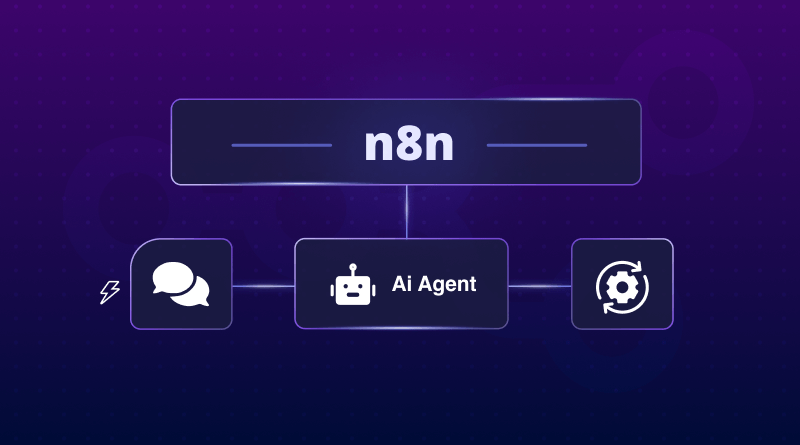
n8n (spelled n-eight-n), built on Node.js, is a self-hosted automation program that links separate apps and services so they exchange data and perform tasks without your intervention. As an example, you connect Google Sheets, Slack, or Notion – n8n moves data among them according to rules you set. Because the source code is open, you place n8n on your own server. You pay no monthly fee, face no hidden task limit, plus keep all data under your own control.
n8n provides a visual editor that resembles a flowchart. You place blocks that represent events (triggers) or actions. You link the blocks in order. After you press Activate, n8n follows that order whenever the trigger event occurs. You may send messages, update rows, sync files, or execute short scripts without extra tools or advanced setup.
What is n8n Automation?
At its core, n8n automation is just letting n8n take over the boring, repetitive parts of your job. You set the rules, like: “When someone fills out my website form, I want you to add their info to Google Sheets and then pop a message in our ‘New Leads’ Slack channel.”
The real magic is how you build these rules. If you’re not a coder, you can just drag and drop your apps on a visual canvas. If you are a developer, you can work right inside that same canvas to add custom JavaScript, loops, or complex API logic. It’s this blend that gives you serious power without being locked into expensive, “per-task” cloud services.
What is an n8n Workflow?
An n8n workflow is a series of nodes. A node is one unit of work – receive webhook, read spreadsheet, filter rows, send email, run Python snippet, but also so on. Data leaves the first node and travels step by step until the last node finishes.
Once you save as well as activate a workflow, it waits for its trigger. After the trigger fires, the entire chain runs unattended. Example chains – create daily CSV reports, copy support tickets into a database, or sync customer data between two CRMs.
n8n differs from cloud-only competitors like Zapier or Make. No charge per action. No required subscription. You host the software on a $5 virtual server or on a cluster – you decide how many workflows you run. If the built-in nodes are not enough, you write new ones in JavaScript or TypeScript and include them immediately.
In short, n8n offers full ownership or unlimited scale without vendor fees.
How Does n8n Work?
n8n works by connecting modular “nodes” into visual “workflows.” Each node acts or connects to an app, while data flows between nodes to automate processes from start to finish.
Support Summary:
- Workflows: Full automation paths (e.g., “Post new blog to Slack”).
- Nodes: The steps or actions (apps, logic, or code).
- Triggers: Start points that launch automations, such as time-based, webhook, or event-based.
Connections: Lines passing data between nodes. n8n’s visual interface makes complex logic easy to understand and reuse.
n8n vs Zapier: Which Automation Tool Is Better for You?
The key differences between n8n and Zapier revolve around control, cost, and flexibility. n8n is open-source workflow automation software that you can self-host for free and on a server of your choosing, while Zapier is a paid cloud-based platform that charges users per task. n8n allows users full ownership of their data and the possibility to create custom workflows with no limitations, unlike Zapier.
| Feature | n8n | Zapier (Cloud) |
|---|---|---|
| Hosting | Runs on your own VPS or local server | Managed by Zapier |
| Data Privacy | 100% in your control | Stored on Zapier’s servers |
| Cost | Free software and hosting | Subscription or per-task fees |
| Flexibility | Custom code and private integrations | Limited to pre-built actions |
Summary:
n8n is best for developers and privacy-focused teams who want full control and low costs. Zapier suits non-technical users who prefer a quick, managed setup. In short, n8n offers freedom, while Zapier offers simplicity at a higher price.
Note: In India and similar markets, the cost difference grows even wider. Self-hosting n8n on a VPS hosting can cost up to 80% less than Zapier’s task-based pricing.
n8n Cloud vs Self-Hosted: Which One Should You Choose?
The main difference between n8n Cloud and self-hosted n8n is fundamentally about who’s in control and how much effort you need to put in. n8n Cloud is a paid service that takes the hassle out of setting up and running automation – all you need to do is get started, and the official n8n team will take care of the rest. In contrast, Self-hosted n8n gets put on your own VPS, and this means you can have 100% control over your data, your costs, and your automation – without worrying about any of the infrastructure.
Support Summary:
- n8n Cloud is great for teams who want a hassle-free, off-the-shelf automation platform that just works without needing to lift a finger. The subscription model means you don’t need to worry about any maintenance.
- Self-hosted n8n, on the other hand, is perfect for developers and businesses that really care about their data and have complete control over their systems. You host it on your own server, keep all of your data in-house, and pay only for the hosting costs. Even the lowest cost VPS should be able to handle huge amounts of tasks running without any limits.
In short, n8n Cloud is all about convenience, and Self-Hosted n8n is about having control in your hands and total flexibility, giving you the smart choice for long-term data ownership and scalability.
Why Should You Self-Host n8n? (Top Benefits Explained)
Self-hosting n8n gives users complete control over their data, long-term cost savings, and full flexibility to integrate private tools or internal systems. It’s the best choice for developers and businesses that value privacy, scalability, and independence from third-party limits.
Support Summary:
- Cost Savings: A Cloud VPS from BigCloudy can replace hundreds of dollars in monthly SaaS fees. You pay for your server, not per automation task.
- Data Privacy: All automation data stays on your own server, ensuring compliance for industries that handle sensitive information.
- Flexibility & Power: Self-hosting allows you to connect private APIs, databases, and internal tools that cloud platforms can’t access.
- Scalability: There are no task caps; you can run unlimited workflows as your automation needs grow.
In short, n8n gives you freedom, control, and cost efficiency, making it the most practical automation setup for teams that want power without paying for every click.
What Is n8n Used For? (Real-World Examples)
n8n works by connecting modular nodes inside a visual workflow builder. Each node performs an action or connects to an app, and data flows between nodes step by step to automate entire processes. This makes n8n a simple yet powerful workflow automation tool used to integrate apps, move data, and eliminate repetitive manual tasks.
Support Summary:
In n8n, everything revolves around workflows, visual maps that show how automation runs from start to finish.
- Workflows: Full sequences of actions, such as “Send a Slack message when a new form is submitted.
- Nodes: The building blocks that perform tasks like sending emails, making API calls, or transforming data.
- Triggers: Start points that tell n8n when to run on a schedule, event, or incoming webhook.
- Connections: Lines that pass information between nodes to keep data flowing smoothly.
Because n8n uses a clean, drag-and-drop interface, even complex automations remain easy to design and maintain. It’s commonly used to connect business apps, sync databases, build custom integrations, and automate workflows across tools like Slack, Google Sheets, Notion, and more.
How to Build Your First n8n Workflow (Beginner Example)
To build your first n8n workflow, combine a trigger node, an action node, and an output node, then activate it. This simple setup helps beginners understand how n8n automates tasks visually.
Example Workflow:
- Trigger: Add a Schedule node to run every 5 minutes.
- Action: Add an HTTP Request node to fetch a random quote from an API.
- Output: Add a Slack or Email node to send that quote.
- Run Test Activate: Once tested, your automation runs automatically on schedule.
In short, n8n lets users create automations in minutes, no coding required. It’s a visual way to connect apps, move data, and trigger actions seamlessly.
Who Should Use n8n?
n8n is ideal for developers, startups, and tech-savvy teams who want full control over their automations without paying high SaaS fees. It’s the perfect tool for anyone who values flexibility, privacy, and scalability.
Support Summary:
- Developers: Connect APIs, write custom code, and integrate internal systems.
- Businesses: Automate routine workflows and streamline data between apps.
- Agencies: Manage multiple client automations in one self-hosted setup.
- Startups: Scale processes affordably using a VPS instead of expensive SaaS plans.
In essence, n8n is designed for individuals who want freedom from automation, from simple app connections to advanced, code-based logic.
FAQs:
A: Yes. The self-hosted version of n8n is free to install and use; you only pay for the server or VPS it runs on. The official n8n Cloud managed service is a paid subscription.
A: Not for basic workflows. n8n features a visual editor that lets non-technical users build automations without code. For advanced logic or custom integrations, you can use JavaScript or Python.
A: No, n8n requires a server environment with complete control (such as a VPS or dedicated host) and support for tools such as Docker; it will not function properly on standard shared hosting plans.
A: Yes, if configured correctly. Self-hosting provides complete control over data and security. For effective data protection, use a firewall, SSL/TLS encryption, keep your server up to date, and limit access effectively.
Yes, n8n is one of the best open source alternatives to Zapier. You can automate workflow by using both tools, but Zapier charges you for each task, while you can self-host n8n on your own server.