


Choosing between Elementor and Beaver Builder is like picking your favorite WordPress theme – it’s personal, and what works brilliantly for one person might not click for another.
Both page builders have earned their place in the WordPress ecosystem. Elementor leads with over 18 million active installations as of 2026, while Beaver Builder has cultivated a dedicated community of 175,000+ users who swear by its reliability and developer-friendly approach. But popularity doesn’t automatically make something the perfect fit for your needs.
We’ll show you how these builders actually perform when you’re on deadline, what you’ll really pay in 2026, and which one aligns with how you actually work.
Quick Summary
Elementor suits users who want advanced design control, AI tools, and a large ecosystem. Beaver Builder is better for clean code, stability, and long-term client projects.
What Makes These Page Builders Different?
Page builders let you design WordPress sites visually. Drag a button here, drop an image there – no coding required. What you see while editing is what visitors get.
Before these tools existed, custom layouts meant hiring developers or learning CSS on your own. A three-column section with custom backgrounds? That’s easily 2-3 hours of work. Page builders turned that into a 5-minute task.
But here’s the catch: not all builders work the same way. Some add bloated code that tanks your loading speed. Others lock you into their system so tightly that switching later becomes a nightmare. The wise choice depends on what matters most to you.
Elementor: The Feature-Packed Powerhouse
Launched in 2016, Elementor went all-in on features. You get 40+ widgets free, with Pro adding another 90. The company ships updates constantly – sometimes too constantly for developers who value stability.
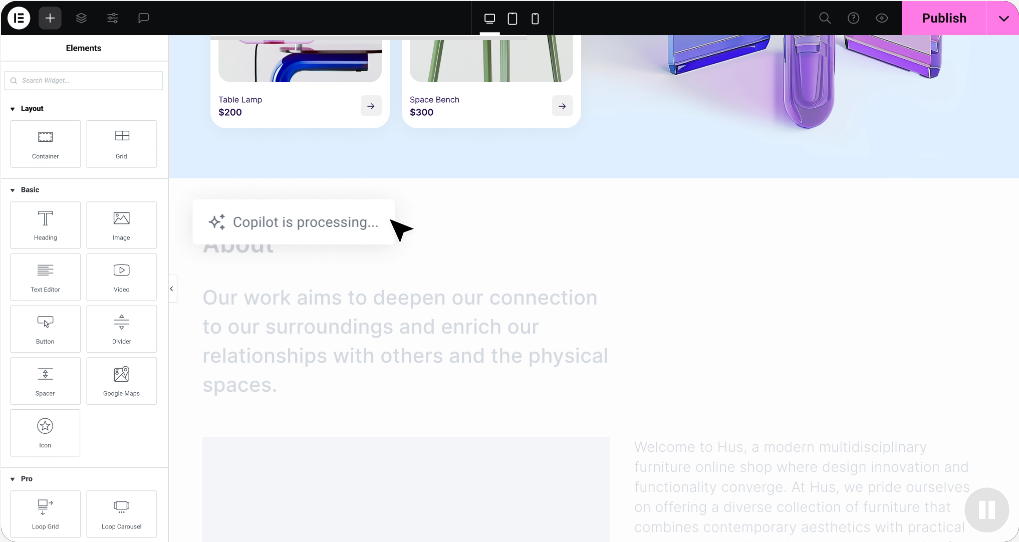
What sets Elementor apart in 2026? AI integration throughout. Need headline variations? Ask AI. Want custom animations? Describe them in plain English. The new Editor V4 (rolling out Q2 2026) brings cleaner code and CSS-first architecture.
Recent additions include AI Site Planner for automated structure planning, Angie (their agentic AI assistant), and Send, a marketing automation platform for WooCommerce. They’re not just building a page builder anymore; they’re creating an entire ecosystem.
The interface splits your screen: a sidebar for controls and a central area for a live preview. Right-click any element to copy, paste, or duplicate. Keyboard shortcuts speed things up considerably once you learn them.
Beaver Builder: Built for Developers Who Value Clean Code
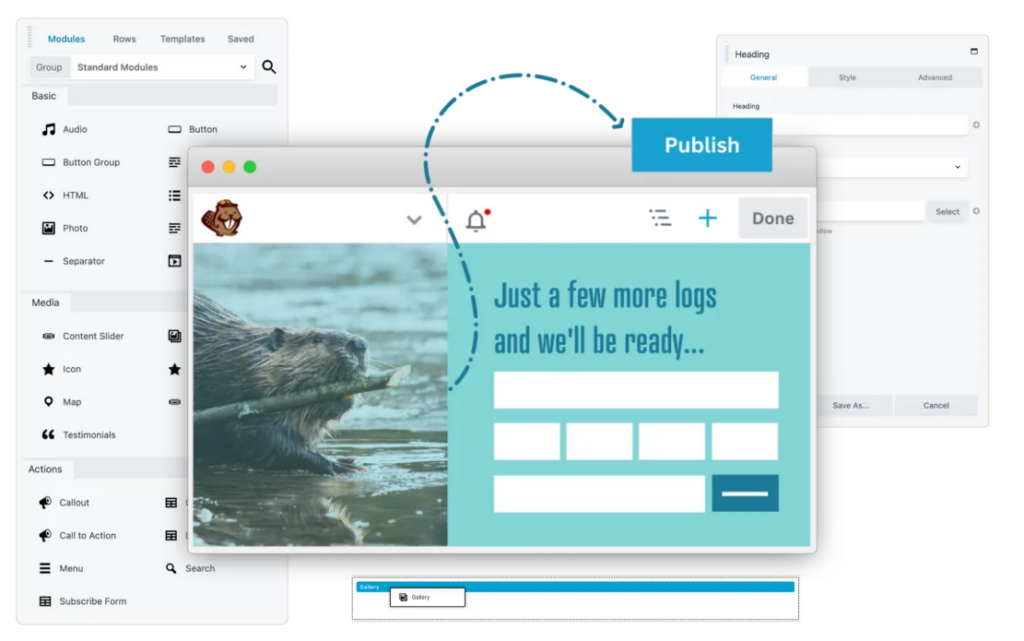
Beaver Builder took a different approach since 2014. Instead of racing to add every trendy feature, they focused on writing clean, lightweight code that performs reliably.
Developers love it because the code structure makes sense. It’s predictable, well-documented, and doesn’t break when WordPress updates if you’re building 20 client sites and don’t want 3 AM emergency calls; that matters.
The interface hides controls until needed, giving you maximum preview space. Click to add modules, customize them in a floating panel that you can position anywhere. Less flashy than Elementor, but some prefer that simplicity.
September 2024 brought significant pricing changes. Now, every paid plan includes the page builder, theme, and Beaver Themer, bundled together, starting at $89/year.
Design Flexibility: Widgets and Modules
Elementor’s free version includes 40+ widgets: headings, images, buttons, videos, maps, social icons, and more. Pro adds 90+ advanced widgets, including pricing tables, flip boxes, animated headlines, and form builders with email integrations.
Beaver Builder Lite offers just nine basic modules. Paid plans unlock 30+ professional modules like contact forms, sliders, countdowns, and the Loop Builder for dynamic content.
For styling, Elementor goes deep. Global typography controls, motion effects, parallax scrolling, sticky positioning, and upcoming CSS classes with Editor V4. Beaver Builder keeps it simpler- adjust padding, margins, borders, and backgrounds at row, column, and module levels. Advanced users add custom CSS when needed.
Templates and Pre-Built Designs
Elementor Free provides 40 block templates and 30 page templates. Pro expands to 300+ page templates and 60+ complete website kits targeting specific industries – restaurants, consultants, SaaS companies, fitness studios, you name it.
Each kit includes multiple coordinated pages. Import one, swap your content, and you’re most of the way done. Cloud Templates (added 2025) let you save and access custom templates across all your sites.
Beaver Builder offers 170+ conversion-optimized templates. Don’t expect fancy animations, but you’ll find clean, professional layouts that load fast. The templates prioritize function over flash.
Performance: The Speed Test Everyone Cares About
Here’s where things get real. Independent tests consistently show Beaver Builder loading faster.
Recent benchmarks show Beaver Builder pages averaging 1.2-1.3 seconds. Elementor pages hit 1.6-1.8 seconds. That’s roughly 30% slower, which impacts user experience and SEO rankings.
Resource requirements differ, too – Elementor requires at least 256MB of PHP memory, ideally 512MB with add-ons. Beaver Builder runs fine on 128MB, and is comfortable at 256MB even with extensions.
On budget shared hosting, this matters enormously. Elementor might strain resources during traffic spikes. Beaver Builder handles it smoothly.
However, proper hosting eliminates most concerns. Optimized WordPress hosting, starting at $0.80/month, comfortably handles either builder.
Elementor vs Beaver Builder: Key Differences 2026
| Feature | Elementor | Beaver Builder |
| Free Widgets/Modules | 32 widgets | Basic modules only |
| Pro Widgets (Max) | 86 widgets | All premium modules |
| Pre-Built Templates | 300+ templates | Fewer templates |
| Theme Included | No (separate Hello Theme) | Yes (Beaver Builder Theme) |
| WooCommerce Support | Advanced plans only | All paid plans |
| Form Integrations | Advanced plans only | All paid plans |
| ACF & Custom Fields | Advanced plans only | All paid plans |
| Custom CSS/Code | Advanced plans only | All paid plans |
| Cloud Storage | Yes (plan dependent) | No |
| White Labeling | No | Unlimited plan only |
| Multisite Network Control | No | Professional & Unlimited |
| Interface Style | Modern, left sidebar | Traditional, top/right |
| Page Speed | Good | Slightly faster |
| Best For | Designers, quick builds | Developers, agencies |
| Community Size | 5M+ active installs | 1M+ active installs |
AI Features: The 2026 Difference
Elementor went all-in on AI. Text generation for any content block. Image creation from descriptions. AI Motion Effects, where you describe animations in plain language. The AI Site Planner automatically maps the entire website structure.
Angie, their agentic AI, launched in 2025 and handles complex multi-step workflows. Need to update 50 pages with new CTAs? Angie does it. Want to standardize all product images? One click.
Beaver Builder offers zero native AI features. You can integrate third-party AI tools, but there’s no built-in assistant.
As AI becomes standard in web design, this gap will grow. Elementor’s investment positions them for 2026 and beyond.
Conclusion
Elementor is the feature-rich choice for creatives who need flexibility and AI assistance and don’t mind slightly higher resource usage. Perfect for 1-5 sites where design capabilities matter most. The 2026 Editor V4 update brings cleaner code that addresses past performance complaints.
Beaver Builder is the reliable workhorse for developers and agencies managing 10+ sites where performance and stability override fancy features. The September 2024 pricing restructure improved accessibility while maintaining legendary reliability.
Your web hosting quality matters significantly. On a robust WordPress hosting platform, Elementor’s resource demands disappear. On shared hosting, Beaver Builder’s efficiency helps prevent issues.
Download both free versions. Build test pages. The one that feels right in your hands is the right choice for your workflow. In 2026, both remain excellent options serving different needs in the WordPress ecosystem.
FAQs
You can, but it’s painful. Each page needs to be rebuilt manually because the builders use different structures. Budget 2–4 hours per complex page. Choose wisely from the start.
Elementor’s generous free version (40+ widgets vs 9) and extensive tutorials make learning easier. Beaver Builder’s limited free version means committing to paid before really learning it.
Both add overhead. Elementor impacts dashboard performance more due to its larger feature set. On underpowered hosting, the WP-Admin feels noticeably slower with Elementor.
Both companies actively develop their products. Elementor updates more frequently (sometimes too frequently). Beaver Builder updates conservatively, prioritizing stability. Neither is going anywhere soon.
Yes, both work with most themes. Elementor recommends its Hello theme. Beaver Builder now includes its own theme on all paid plans.
Neither inherently affects SEO. Beaver Builder’s lighter footprint helps Core Web Vitals scores. Elementor offers more built-in schema markup options. With proper WordPress optimization , both perform well.