


You’ve spent weeks preparing your products. Your business plan looks solid.
Now comes the risky part: choosing an eCommerce platform that won’t slow you down or cost you thousands later. Because switching platforms isn’t simple.
Pick the wrong one, and six months down the line, you could be rebuilding your store from scratch, migrating data, fixing performance issues, and paying developers to undo an expensive mistake.
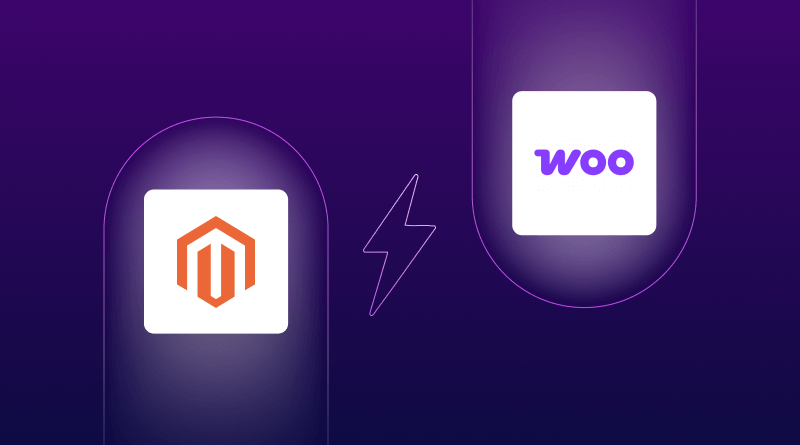
Both Magento and WooCommerce can power successful online stores. They just serve very different types of businesses.
Think of Magento like a Ferrari – incredibly powerful, built for large-scale performance, but expensive to maintain and often requiring specialist developers.
WooCommerce is more like a reliable Honda Civic – affordable, flexible, easier to manage, and perfect for most small to mid-sized stores.
So which one actually fits your business?
In this guide, we’ll compare Magento vs WooCommerce based on real-world costs, ease of use, scalability, hosting needs, and long-term maintenance so you can choose the right platform today and avoid painful migrations tomorrow.
Understanding Magento and WooCommerce
Magento: Built for Enterprise Growth
Magento showed up in 2007, targeting serious online retailers. Adobe bought it and turned it into Adobe Commerce, though the open-source version still exists. The platform currently powers approximately 120,000 active stores worldwide, with a strong focus on enterprise-level operations and complex B2B commerce needs. But there’s a catch. The complexity is real. Even making what seems like a simple change usually requires a developer’s help.
WooCommerce: WordPress Power for Small Business
WooCommerce came along in 2011 as a WordPress plugin. Today, it powers more than 4 million stores worldwide. That makes it the most popular ecommerce choice out there.
If you’ve ever worked with WordPress before, you already understand about half of what WooCommerce does. It connects directly to WordPress, giving you access to thousands of themes and tools. WooCommerce hosting plans start pretty cheap, too. That explains why so many people setting up their first store go this route.
There’s a trade-off, though. Performance takes more work on your end. When your traffic starts growing, you’ll need to speed things up yourself or pay for better hosting.
Magento vs WooCommerce: Complete Feature Comparison
Ease of Use and Setup
Right from installation, Magento feels like walking into mission control at NASA. The admin panel hits you with hundreds of different settings. Want to add a simple promotion? Get ready to work through about a dozen different screens.
Most people who run Magento stores end up hiring developers just for routine updates. If you happen to be really tech-savvy and actually enjoy wrestling with complex systems, you might be fine. Everyone else should plan on paying for help regularly.
WooCommerce makes sense to pretty much anyone who’s ever touched WordPress. The setup wizard walks you step-by-step through the basics in maybe 20 minutes. Adding your products feels natural. Managing your orders stays straightforward.
You’ll probably figure out most features on your own without spending hours watching tutorial videos. That matters a lot when you’re running an actual business and don’t have time to become a platform expert.
Design and Customization Options
Magento Marketplace features approximately 4,500-4,900 verified extensions. A decent theme will cost you somewhere between $99 and $499. If you want to customize one, you’re diving into PHP code or paying someone who speaks that language.
The Hyva theme changed the game recently by making Magento stores run faster. But even installing and setting up Hyva still takes some real technical skills.
WooCommerce taps into WordPress’s absolutely massive theme library -we’re talking over 20,000 different options. Many high-quality themes cost less than $60. Free versions work just fine if you’re still in the starting phase.
Page builders like Elementor let you completely redesign your pages just by dragging boxes around. Zero coding required. You could test a totally new homepage layout before lunch and flip back if it doesn’t work!
Performance and Scalability
Magento was built from day one to handle serious enterprise-level traffic. Multi-store management, advanced caching, and database optimization – all come standard. Thousands of orders coming in at the same time? Not even a problem.
The downside shows up in your hosting needs. Magento hosting costs significantly more because the platform itself requires much more server power to run properly.
WooCommerce performance really depends on two things: your hosting choice and how much optimization work you put in. The 2024 HPOS update improved handling of large order volumes, which definitely helps.
Solid hosting, good caching plugins, and a CDN keep most stores running smoothly. But when you start pushing past 10,000 products or handling 1,000 orders every day, expect to spend some quality time making things faster.
Pricing Breakdown: Real Costs
Magento Open Source is free to download. Then reality walks in the door:
- Hosting runs $50 to $500 every month (you need powerful servers)
- Developer time costs $75 to $200 per hour (and you’ll definitely need this)
- Themes range from $99 to $499 (one-time purchase)
- Extensions run $50 to $300 each (you’ll want several of these)
- SSL certificates cost $10 to $200 yearly
Most people spend between $3,000 and $15,000 in the first year just to get a store up and running. Adobe Commerce, which is the paid version, starts at around $22,000 per year.
WooCommerce is free to download. Here’s what you’ll actually spend:
- Hosting: $10 to $100 monthly
- Domain name: $10 to $15 yearly
- SSL certificate: Usually comes free with your hosting
- Theme: $30 to $100 (totally optional)
- Extensions: $0 to $200 each (tons of free ones available)
You can launch a real store for under $500 in your first year. That’s exactly why bootstrapped businesses choose this path.
Extensions and Plugin Ecosystem
Magento’s marketplace has over 5,000 extensions available. They cover everything from marketing automation and inventory systems to analytics and payment processing. Extensions for businesses often cost $200 to $1,000 or more.
Quality bounces all over the place. Read those reviews really carefully before you spend your money.
WooCommerce offers 800+ official extensions plus literally thousands of compatible WordPress plugins. Lots of essential stuff (SEO tools, email functions, analytics) comes through free WordPress plugins.
Payment gateways hook up easily. Need subscription billing? There’s an extension for that. Want to sell digital downloads? Already covered. The whole ecosystem just feels less expensive overall.
SEO Features and Content Marketing
Magento includes solid built-in SEO tools: URL rewrites, meta tag control, XML sitemaps, and rich snippet support. Everything happens manually through admin settings, though.
You’ll burn some time just learning where all the options live. Once you get it set up properly, it’s quite powerful. Just don’t expect it to be beginner-friendly.
WooCommerce gets a huge boost from WordPress’s natural content strengths. Plugins like Yoast SEO and Rank Math guide you through optimization using traffic-light colors. Green means you’re good. Red means you need to fix something.
Writing product descriptions, blog posts, and category pages all feel completely natural. WordPress’s built-in blogging tools really help when you’re doing content marketing to drive organic traffic.
Security Features
Magento puts out security patches on a regular schedule. Adobe’s scanning tool continuously monitors threats around the clock. Over 750 different security extensions can add extra layers of protection if you want them.
Enterprise customers receive patches faster and receive priority support whenever security issues arise.
WooCommerce relies on WordPress’s security foundation , which includes automatic updates for minor versions. Your security depends partly on keeping everything up to date – the WordPress core, your themes, and all your plugins.
Good hosting companies handle server-level security. Adding a two-factor authentication plugin provides an additional layer of protection for your admin login.
Quick Feature Comparison Table
| Feature | WooCommerce | Magento |
| Best For | Small to medium stores, WordPress users | Large enterprises, complex eCommerce needs |
| Setup Difficulty | Beginner-friendly, easy to start | Requires strong technical skills |
| Starting Cost | $200 – $500 per year | $3,000 – $15,000+ per year |
| Themes Available | 20,000+ WordPress themes | 5,000 Magento themes |
| Scalability | Good with proper optimization | Excellent and enterprise-ready |
| Extensions | 800+ official, thousands via the WordPress ecosystem | 5,000+ extensions in the marketplace |
| SEO Ease | Very easy (Yoast, Rank Math, etc.) | Powerful but more complex |
| Support | Community forums & documentation | Community support or paid plans |
| Learning Curve | Smooth and gradual | Steep and time-consuming |
| Best for Beginners | Yes, ideal for beginners | No, developer required |
When to Choose Magento
Pick Magento when you’re into:
- Selling more than 10,000 products across different categories
- Running several different stores from one backend system
- Handling complicated B2B pricing structures
- Expanding internationally with multiple currencies
- Already working with a development team
- Processing 500 or more orders every single day
Magento makes sense for businesses where ecommerce drives your main revenue, and you’re scaling rapidly.
When to Choose WooCommerce
Choose WooCommerce if you are:
- About to launch your very first online store
- Already familiar with using WordPress
- Working without any technical staff on hand
- Selling fewer than 5,000 products to start
- Mixing content marketing with your selling
- Operating on a pretty tight budget
WooCommerce gives you plenty of room to grow without throwing you into the deep end on day one.
Real Example: Making the Right Choice
Lisa makes handmade jewelry. She sells 50 to 100 pieces monthly. Sells maybe 50 to 100 pieces each month and writes weekly blog posts about her craft.
She started researching Magento after reading an article about scalability. Then she actually looked at the real numbers: a $5,000 minimum just for setup, plus ongoing payments to developers whenever she wanted to make changes.
Lisa switched her focus to WooCommerce instead. Her total cost came in under $300. She connected it to her existing WordPress blog, handles absolutely everything herself, and her store looks completely professional. If she ever hits 500 monthly sales, she told me she’ll reconsider the whole thing.
Smart approach – matching the platform to current needs. Pick what works for where you are right now, but keep your options open for later.
Choosing Your Ecommerce Platform
Magento delivers some serious power for complex, high-volume operations. WooCommerce offers an accessible starting point with real growth potential.
Match your decision to three specific things: how much budget you’ve got right now, what your actual technical skills are, and where you honestly see your sales six months from now.
Starting small? WooCommerce helps you start selling quickly without hiring developers. Planning something at the enterprise level? Magento was built exactly for that kind of scale.
Both platforms work really great when they’re matched to the right type of business. Pick based on where you actually are today, not just where you’re dreaming about being eventually.
Ready to launch that online store? Take a look at
Bigcloudy’s
affordable WooCommerce hosting plans, or check out our comprehensive WordPress hosting options, built specifically for ecommerce success.
<
FAQs
For most small businesses, yes. WooCommerce costs way less upfront, and you don’t need developers for your daily tasks. Perfect fit for small budgets and limited technical skills.
Magento Open Source is technically free software. But hosting, development work, themes, and extensions will cost you thousands every year. Adobe Commerce requires enterprise licensing fees in addition to everything else.
WooCommerce wins this one pretty easily thanks to its WordPress integration and simple SEO plugins. Magento’s SEO capabilities are powerful, for sure, but they’re much harder to set up correctly.
Migration is possible. Just expect it to cost a bunch and create some headaches. Way better to choose the right one initially.
Magento hosting starts at $50 to $100 per month, minimum. WooCommerce hosting starts at around $10 to $30 per month, with plenty of affordable options available.
WooCommerce wins here. It’s built on WordPress, which excels at content creation. Blog posts, product pages, and SEO optimization can be done through familiar WordPress tools without additional software.