


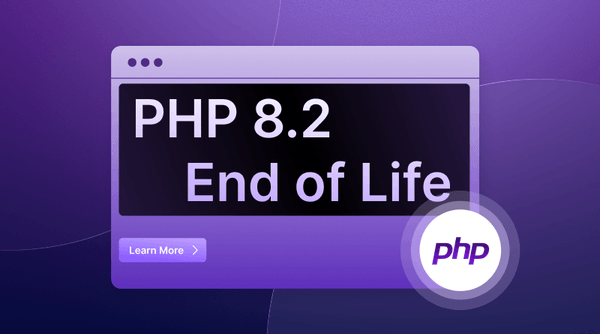
Still running your website on PHP 8.2? It’s time to look at your next upgrade. PHP 8.2 will reach End of Life (EOL) on December 31, 2026, ending its standard security support.
Your website won’t suddenly stop working after this date, but continuing with an unsupported PHP version can leave it exposed to newly discovered security vulnerabilities. Before the deadline arrives, website owners should check their PHP version, review application compatibility, and plan an upgrade to a supported release.
PHP 8.2 End of Life: Important Dates and Support Timeline
PHP 8.2 was released on December 8, 2022, and follows PHP’s standard four-year support cycle. Its active support ended on December 31, 2024, and it is currently receiving security fixes only. This security support will end on December 31, 2026, marking its official End of Life.
PHP versions generally go through three support stages:
- Active Support: Developers receive bug fixes, security patches, and regular updates.
- Security-Only Support: Only critical security issues are addressed. Regular bug fixes stop.
- End of Life (EOL): Official support ends, and no further standard security fixes are released.
Here’s a quick look at the PHP 8.2 support timeline:
| Milestone | Date |
|---|---|
| Initial release | December 8, 2022 |
| Active support ended | December 31, 2024 |
| Security support ends | December 31, 2026 |
| End of Life | December 31, 2026 |
Once PHP 8.2 reaches EOL, website owners will need to consider upgrading to a supported PHP version or arranging eligible extended security coverage if an immediate upgrade isn’t possible.
What Happens to Websites Running PHP 8.2 After EOL?
Your website won’t go offline just because PHP 8.2 reaches End of Life. Existing websites and applications can continue running, but the bigger concern is what happens when new security vulnerabilities are discovered.
Without standard security updates, vulnerabilities in PHP 8.2 may remain unpatched, giving attackers potential opportunities to exploit outdated server environments. Over time, this can make website maintenance more difficult, particularly for businesses running older CMS platforms, plugins, or custom PHP applications.
You may also face compatibility challenges when updating other website components, as newer plugins, frameworks, and dependencies may require more recent PHP versions.
In short, PHP 8.2 EOL won’t immediately break your website, but staying on an unsupported version can create security and maintenance risks that are better addressed before the deadline.
PHP 8.2 Security Risks: Can an Outdated PHP Version Put Your Website at Risk?
Yes. Running an outdated PHP version can expose your website to security vulnerabilities that may remain unpatched after official support ends. This is a concern for WordPress sites, custom PHP applications, and other websites that rely on PHP to process requests.
Recent security example: On November 19, 2026, the PHP development team released PHP 8.2.36 as a security update. The release addressed security issues affecting PHP 8.2 and encouraged all users to upgrade. It followed the October release of PHP 8.2.35, which fixed two critical remote code execution vulnerabilities, CVE-2026-109618 and CVE-2026-109619.
After December 31, 2026, PHP 8.2 will no longer receive standard upstream security fixes. Any newly discovered vulnerabilities may therefore remain unpatched. Website owners should update to the latest available PHP 8.2 patch while it is still supported and plan a move to a newer PHP version before EOL.
Which PHP Version Should You Upgrade To?
PHP 8.2 reaches End of Life on December 31, 2026. Website owners should consider upgrading to a newer version that their applications and hosting environment support.
The table below shows the official support timelines for newer PHP releases.
| PHP Version | Active Support Until | Security Support Until |
|---|---|---|
| PHP 8.3 | December 31, 2025 | December 31, 2027 |
| PHP 8.4 | December 31, 2026 | December 31, 2028 |
| PHP 8.5 | December 31, 2027 | December 31, 2029 |
| PHP 8.6 | December 31, 2028 | December 31, 2030 |
Which Version Should You Choose?
- PHP 8.3: Choose it only if your application requires it. It is already in security-only support.
- PHP 8.4: A practical upgrade option for applications that support it.
- PHP 8.5: Offers longer support and suits compatible applications.
- PHP 8.6: The newest release, with the longest support window in this list. Check application and hosting compatibility before upgrading.
Before switching, check your CMS, plugins, themes, and custom code for PHP compatibility. Also confirm that your hosting provider has the selected version installed. For cPanel users, available versions appear in MultiPHP Manager.
How to Check Which PHP Version Your Website Is Using
You can check your website’s PHP version through your hosting control panel. If you’re using cPanel, open MultiPHP Manager and find your domain to view its assigned PHP version.
You can also check the PHP version through a temporary PHP information file, but remove the file immediately after checking because it can expose server configuration details.
How to Upgrade PHP 8.2 in cPanel Using MultiPHP Manager
If your hosting account uses cPanel, you can change your website’s PHP version through MultiPHP Manager. Before upgrading, take a complete backup of your website files and database so you can restore them if anything goes wrong.
Follow these steps to upgrade your PHP version:
- Log in to cPanel: Access your hosting account and open MultiPHP Manager under the Software section.
- Check your current PHP version: Find your domain in the domain list and note its assigned PHP version.
- Select your domain: Tick the checkbox next to the website you want to upgrade.
- Choose a PHP version: Select a compatible version, such as PHP 8.4 or PHP 8.5, from the available dropdown.
- Apply the changes: Click Apply to save the new PHP configuration.
- Test your website: Open your website and check its pages, forms, login functions, and other important features.
What if the required PHP version isn’t available?
If the version you need isn’t listed in MultiPHP Manager, contact your hosting provider. The server administrator may need to install and enable that version through WHM EasyApache 4, provided it is supported by the server’s operating system.
What to do if your website stops working after upgrading
After changing the PHP version, check your website for errors and test important functions, including contact forms, checkout pages, and payment gateways. If something stops working, review the PHP error logs to identify the cause.
If necessary, temporarily switch back to the previous PHP version, provided it is still available. Fix the compatibility issue in a staging environment before trying the upgrade again on your live website.
What If Your Website Is Not Compatible With a Newer PHP Version?
Upgrading PHP can sometimes cause issues with older websites, particularly those using outdated plugins, themes, or custom code. If your website isn’t compatible with your chosen PHP version, identify the issue before upgrading your live website.
Here are a few things you can do:
- Update your CMS, themes, and plugins: Install the latest compatible releases to resolve known PHP compatibility issues.
- Check extensions and custom code: Older PHP extensions and application code may use functions that have changed or been removed in newer PHP versions.
- Review PHP error logs: Look for fatal errors, deprecated functions, and compatibility warnings to identify what needs fixing.
- Test in a staging environment: Create a copy of your website and test the newer PHP version without affecting your live site.
- Consider extended security support: If an immediate upgrade isn’t possible, explore PHP Extended Lifecycle Support as a temporary security measure.
Fixing compatibility issues before upgrading helps reduce the chances of broken pages, plugin failures, and unexpected website downtime.
Can You Continue Using PHP 8.2 After End of Life?
Yes. PHP 8.2 won’t automatically disappear from hosting servers after December 31, 2026. However, standard upstream security support will end, meaning newly discovered vulnerabilities will no longer receive regular fixes from the PHP development team.
For websites that cannot migrate immediately, PHP Extended Lifecycle Support (ELS) provides another option. Services such as TuxCare PHP ELS offer security patches for selected legacy PHP versions, helping businesses maintain older applications while planning an upgrade.
Eligible CloudLinux and Imunify360 environments may also provide legacy PHP security coverage, depending on the installed products, licensing, and configuration.
However, extended support isn’t a permanent replacement for upgrading. It helps reduce security exposure while you work towards application compatibility and migration to a supported PHP version.
Conclusion:
PHP 8.2 reaching End of Life doesn’t mean your website will stop working, but continuing with an unsupported version can create security and maintenance challenges. Check your current PHP version, review application compatibility, and plan your upgrade before December 31, 2026.
Looking for a hosting environment where you can manage your PHP versions and website configuration? Explore BigCloudy’s cPanel hosting solutions and find a hosting plan that fits your website’s requirements.
Frequently Asked Questions
PHP 8.2 reaches End of Life on December 31, 2026. Its active support ended on December 31, 2024, and it currently receives security fixes only. After the EOL date, standard upstream security support will end.
No. PHP 8.2 will not automatically stop working on your server after December 31, 2026. However, websites continuing to use it may become vulnerable to newly discovered security issues because standard PHP security fixes will no longer be released.
Your website can continue running, but newly discovered PHP vulnerabilities may remain unpatched. This can increase security risks, particularly for websites running outdated applications or dependencies. Upgrading to a supported PHP version is the recommended approach.
PHP 8.4, 8.5, and 8.6 are options to consider. PHP 8.4 offers a more established release, while PHP 8.5 and 8.6 have longer support windows. Check your website’s software compatibility and your hosting provider’s available versions before upgrading.
Not necessarily. PHP 8.6 was released on November 19, 2026, but cPanel’s current EasyApache 4 documentation lists support for PHP versions up to 8.5. Check with your hosting provider to confirm whether PHP 8.6 is available on your server.
Yes. PHP Extended Lifecycle Support (ELS) services, such as TuxCare PHP ELS, can provide security patches for eligible legacy PHP versions beyond their standard support period. Availability depends on the provider, subscription, and server configuration. ELS is a temporary option while you prepare to upgrade your application.