




Choosing the right web hosting provider has become harder than ever. Every company claims to be the fastest, the most secure, or the cheapest, but real performance tells a very different story. That’s why we tested and analyzed the world’s leading hosting providers to find out which ones actually deliver reliable speed, uptime consistency, support quality, and long-term value in 2025.
To make this comparison fair and useful, we evaluated each host using real-world performance checks, TTFB benchmarks, uptime monitoring, infrastructure quality (NVMe vs SSD), ease of use, support response times, and transparency in pricing. This helps cut through the noise and gives you a clear, practical view of which hosts genuinely stand out globally.
Whether you’re launching a new website, growing an online business, or looking to upgrade from slow shared hosting, this list covers the best hosting providers you can trust, reviewed, compared, and ranked based on actual performance.
How We Evaluated These Hosting Providers (Resource-Based Method)
We didn’t rely on discounts, introductory offers, or marketing claims. Instead, we evaluated each hosting provider based on real technical performance and long-term reliability. Our method focuses on the factors that actually affect how your website loads, scales, ranks, and stays online, from the server hardware powering your site to the efficiency of the caching, security, and global delivery systems behind it. We also assessed how much value each brand provides in its starter plans, how stable their performance is under load, and whether they offer the developer tools and support quality required for modern websites.
1. Server Technology & Storage
2. Performance & Stability
3. SEO Readiness
4. Resources in Entry/Starter Plans
5. Security
6. Support Quality
7. Developer Features
Category Winners (Quick Highlights)
| Use Case / Goal | Top Provider(s) | Why these providers |
|---|---|---|
| Best all-round performance | BigCloudy | NVMe stack with globally stable TTFB and strong uptime consistency. |
| Best for SEO & rankings | BigCloudy, SiteGround | Low TTFB, clean IP reputation, and reliable uptime signals that support SEO. |
| Best for beginners | Hostinger, Bluehost | User-friendly dashboards, one-click installs, and smooth onboarding. |
| Best resource value | YouStable | Affordable hosting with NVMe/SSD resources and LiteSpeed performance. |
| Best for developers | A2 Hosting | SSH, Git, staging tools, and Turbo NVMe servers for developer workflows. |
| Best for scaling & high traffic | UltaHost, BigCloudy | Enterprise NVMe infrastructure and reliable performance under heavy load. |
| Best for security & backups | NameHero | Frequent backups, hardened security layers, and strong server isolation. |
| Best all-in-one ecosystem | GoDaddy | Domains, email, and hosting tools combined under one platform. |
| Best for privacy-focused sites | DreamHost | Strong privacy policies, clean infrastructure, and stable uptime. |
| Best for WordPress users | SiteGround, Bluehost | Optimized caching, WordPress tools, and reliable performance. |
Which Web Hosting Provider Is the Best for You? (Full Breakdown Inside)
1. BigCloudy

BigCloudy delivers exactly what users look for when searching for the fastest hosting, SEO-friendly hosting, or global NVMe hosting. With a modern cloud architecture, stable backend response, clean IP ranges, and developer tools built in, it’s designed for websites that need consistent performance worldwide.
Why It’s Strong
- NVMe storage for ultra-fast loading
- Optimized caching layers
- Clean IP reputation (SEO friendly)
- Global-ready infrastructure
- SSH, Git, Node.js, and Python support
- Ondemand backups
- Unlimited free migrations
- Strong CPU allocation & stability
Pros
- Excellent for SEO and global traffic
- NVMe speed & strong TTFB consistency
- Developer-friendly features
- Unlimited free website migrations
- Clean IPs improve search rankings
Cons
- Slightly higher starting cost than entry-level budget hosts
- Designed more for performance-focused users
Best For:
- SEO websites
- agencies
- eCommerce
- Global brands
- Fast-growing businesses
2. SiteGround
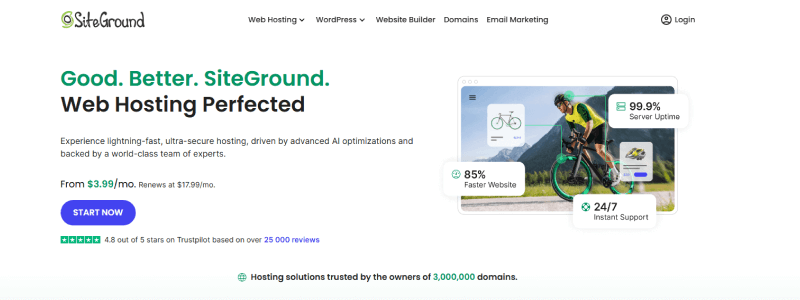
SiteGround is one of the most trusted brands for users searching for the best WordPress hosting or fast WordPress performance. Its Google Cloud infrastructure and NGINX caching make it ideal for dynamic CMS websites.
Why It’s Strong
- SSD storage on Google Cloud
- Fast NGINX-based caching
- Cloudflare CDN integration
- Strong isolation & security
- Daily backups
Pros
- Excellent WordPress performance
- High reliability for traffic spikes
- Strong support & security
- Easy WP tools
Cons
- Renewal prices can be high
- The backend panel can feel heavy
Best For:
- WordPress bloggers
- WooCommerce stores
- content-heavy websites
3. YouStable

YouStable is ideal for people searching for affordable hosting with good performance or the best hosting for small businesses. It balances resource quality, LiteSpeed performance, and budget pricing.
Why It’s Strong
- SSD/NVMe storage
- LiteSpeed & LSCache support
- Stable uptime
- Good isolation
- Clean interface
Pros
- Great value for budget users
- Stable performance
- LiteSpeed stack at a low cost
- SEO-friendly structure
Cons
- UI is simpler compared to premium hosts
- Limited advanced developer tools
Best For:
- Small businesses
- Portfolios
- Blogs
4. Hostinger

Hostinger ranks high for search queries like best cheap hosting, best hosting for beginners, or easy WordPress hosting. It delivers smooth onboarding and solid speed for lightweight websites.
Why It’s Strong
- SSD storage
- Optimized PHP
- LiteSpeed stack (on select plans)
- Simple, modern dashboard
Pros
- Very beginner-friendly
- Fast initial loading
- Clean UI and onboarding
- Good value
Cons
- Performance drops with very heavy content
- Limited advanced dev tools
Best For:
- Beginners
- Students
- simple WordPress sites
5. GoDaddy

GoDaddy is one of the most searched hosting brands because it offers domain, email & hosting in a single ecosystem. Great for users who want convenience over technical depth.
Why It’s Strong
- SSD storage
- Good internal caching
- Built-in email & domain tools
- Easy dashboard
Pros
- Everything under one platform
- Simple for non-techy business owners
- Good for basic websites
Cons
- The backend can feel slow under load
- Upsells can be confusing
Best For:
- Business owners
- All-in-one management setups
6. A2 Hosting/Hosting.com
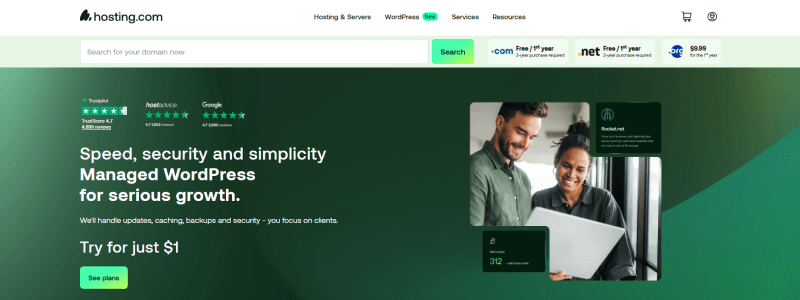
A2 Hosting is popular among users who search best VPS hosting, NVMe hosting, or developer hosting. It offers advanced control, SSH, staging, and extremely fast Turbo NVMe servers.
Why It’s Strong
- NVMe Turbo servers
- SSH, Git, staging
- Advanced PHP versions
- Powerful caching
Pros
- Perfect for developers
- Very fast backend performance
- Great customization options
Cons
- Best features require Turbo plans
- Interface feels older than its competitors
Best For:
- Developers
- testers
- custom apps
7. UltaHost

UltaHost is trending in queries like NVMe VPS, fast cloud hosting, and best hosting for agencies. With enterprise-grade infrastructure and strong uptime, it’s perfect for mission-critical websites.
Why It’s Strong
- Full NVMe servers
- Enterprise-grade isolation
- Advanced caching
- High uptime reliability
- Great for scaling
Pros
- Excellent for high-traffic sites
- Very strong infrastructure
- Good for VPS and cloud hosting
Cons
- Premium pricing on higher-tier plans
- Not the simplest UI for beginners
Best For:
- Agencies •
- scaling businesses
- high-traffic websites
8. DreamHost

DreamHost is often searched for private hosting, secure hosting, and simple WordPress hosting. It combines transparency with stable, privacy-first hosting.
Why It’s Strong
- SSD storage
- Strong privacy policies
- Good isolation
- Auto backups
- Clean panel
Pros
- Strong focus on privacy
- Reliable uptime
- Simple management panel
Cons
- Not the fastest backend
- Support response can be slower
Best For:
- Privacy-focused users
- bloggers
- freelancers
9. Bluehost

Bluehost is highly searched due to its official WordPress partnership. It’s great for users who want a straightforward and dependable hosting setup.
Why It’s Strong
- SSD storage
- WP integration
- Simple UI
- Stable for smaller WP sites
Pros
- Very beginner-friendly
- Good WordPress onboarding
- Trusted brand
Cons
- Backend can feel slow
- A heavy homepage affects performance
Best For:
- New WordPress users
- Beginners
10. NameHero:

NameHero is a top choice for people searching for secure hosting, hosting with backups, or NVMe hosting for SMBs. It provides excellent backup frequency and strong isolation.
Why It’s Strong
- Frequent backups
- SSD/NVMe mix
- Clean isolation
- Strong security stack
Pros
- Perfect for security-focused websites
- Reliable uptime
- Great backup setup
Cons
- Smaller brand awareness
- Limited global data centers
Best For:
- Service businesses
- Security-heavy sites
Comparison Table (Resource-Based Overview)
| Provider | Best For | Starting Price (USD) | Resource Highlights |
|---|---|---|---|
| BigCloudy | SEO, global uptime, NVMe performance | $1.19/mo | NVMe storage, strong caching, clean IPs, developer tools |
| SiteGround | WordPress, high-traffic sites | $2.99/mo | Advanced caching, SSD, Cloudflare integration |
| YouStable | Small businesses, affordable hosting | $0.67/mo | SSD/NVMe mix, LiteSpeed, stable servers |
| Hostinger | Beginners, lightweight sites | $1.95/mo | Optimized PHP, SSD, clean dashboard |
| GoDaddy | All-in-one ecosystem | $5.99/mo | Basic SSD, domain/email tools, large ecosystem |
| A2 Hosting | Developer-focused hosting | $1.99/mo | Turbo NVMe, SSH/Git access, staging |
| UltaHost | Premium VPS & high-performance hosting | $3.29/mo | Full NVMe, enterprise isolation, fast caching |
| DreamHost | Privacy-focused hosting | $1.99/mo | SSD storage, clean isolation, automatic backups |
| Bluehost | WordPress beginners | $3.00/mo | SSD storage, easy WP onboarding |
| NameHero | Security & backup-heavy hosting | $2.69/mo | Frequent backups, NVMe/SSD, strong security layers |
How to Evaluate a Web Hosting Provider Like a Cloud Infrastructure Engineer
Most hosting comparisons focus on pricing, freebies, or dashboard screenshots, factors that have little to do with real hosting quality. Evaluating a hosting provider properly requires understanding the same principles used by cloud architects, SRE teams, and performance engineers. These technical signals reveal whether a host can deliver consistent, stable, secure, and scalable performance in real-world conditions.
Below is a professional, engineering-level framework that separates marketing-driven hosting from infrastructure-grade hosting.
1. Storage Architecture: NVMe vs SSD vs Shared I/O
Storage is the foundation of server speed. A cloud engineer evaluates:
- I/O throughput (NVMe > SSD > HDD)
- Queue depth & read/write consistency
- Whether storage is shared, throttled, or isolated
NVMe isn’t just faster; it reduces latency at the hardware level, drastically improving TTFB and dynamic-page responsiveness. Any serious host today should operate on NVMe or enterprise SSD tiers.
2. CPU Allocation & Resource Isolation
Shared hosting often hides oversold CPU and memory.
Engineers look for:
- Dedicated CPU quotas
- Fair-share scheduling policies
- Isolation layers like CloudLinux, cgroups, or KVM
True performance comes from predictable compute allocation, not just high advertised core counts.
3. Caching Stack Depth & Server-Side Optimization
Professional hosting performance relies on multi-layer caching, not plugins.
A strong host implements:
- LiteSpeed & LSCache or NGINX micro-caching
- OPcache
- Object caching (Redis/Memcached)
- Static asset optimization
- Edge caching (CDN integration)
This dramatically improves throughput and reduces CPU strain under traffic spikes.
4. Uptime Consistency, Not Just Uptime Claims
Any provider can claim 99.9% uptime.
What engineers check is:
- Micro-downtime events
- Network routing stability
- Average recovery time
- Peak-hour load impact
- NOC (Network Operations Center) discipline
Reliability isn’t a number; it’s a reflection of the provider’s operational maturity.
5. IP Reputation & Network Cleanliness
Bad IP neighborhoods hurt SEO, deliverability, and trust.
Experts audit:
- ASN reputation
- Blacklist frequency
- Outbound filtering policies
- Abuse management
Clean IP ranges signal a provider that actively maintains network hygiene and SEO integrity.
6. Global Latency & Routing Architecture
Fast hosting isn’t just about raw speed; it’s about how the server performs across the world.
Engineers evaluate:
- Peering agreements
- Anycast/edge presence
- CDN compatibility
- Latency to target regions (US, EU, Asia)
- Transit quality
A globally accessible website requires a globally optimized hosting infrastructure.
7. Security Layers Beyond Free SSL.
Real hosting security is multi-layered.
A cloud-grade provider includes:
- WAF protection
- Imunify360 / cPanel security isolation
- DDoS mitigation
- Automated daily backups
- Malware detection & patch cycles
- Container isolation
Security isn’t a feature; it’s an ongoing process led by an experienced engineering team.
8. Developer Ecosystem Maturity
Modern websites rely on modern workflows.
A mature hosting provider offers:
- SSH access
- Git integration
- Node.js & Python support
- Staging environments
- Cron automation
- Custom environment builds
This is where expert-level providers outperform budget-focused ones.
9. Scalability & Future-Proof Architecture
Engineers look at how well the platform scales:
- Horizontal vs vertical scaling limits
- Cloud flexibility (KVM, containerization, distributed storage)
- Resource elasticity under traffic spikes
- Upgrade paths from shared to VPS to cloud
Good hosting grows with your business. Great hosting grows before you need it.
Real User Scenarios: Pick the Hosting That Fits Your Situation
Choosing a hosting becomes much easier when you look at real situations people face every day. Here are simple, honest recommendations based on what different users actually need.
Scenario 1: I want my website to load fast everywhere US, Europe, and India.
Choose: BigCloudy
If your audience is spread across multiple regions or you care about SEO performance, you need a consistent loading speed worldwide.
BigCloudy’s NVMe stack & stable backend response make it ideal for this.
Scenario 2: I’m starting a WordPress blog and don’t want anything complicated.
Choose: Hostinger or Bluehost
Both offer an easy, no-stress setup with a beginner-friendly dashboard. Perfect for first-time WordPress users.
Scenario 3: My business needs a domain, hosting, email, and everything in one place.
Choose: GoDaddy
If you prefer an all-in-one system to manage your domain, hosting, email, billing, and business tools together, GoDaddy’s ecosystem is convenient.
Scenario 4: I’m a developer and need freedom, SSH, Git, staging, and custom scripts.
Choose: A2 Hosting or BigCloudy
Both provide strong dev environments, fast stacks, and flexibility for custom applications.
Scenario 6: I just want good hosting for my small business or portfolio, nothing fancy.
Choose: YouStable
Stable, clean, affordable resources without unnecessary complications.
Scenario 7: Security and backups matter more to me than speed.
Choose: NameHero
If your priority is safety, frequent backups, and worry-free maintenance, NameHero’s security-first stack fits well.
Scenario 8: I want privacy-focused hosting with simple management.
Choose: DreamHost
DreamHost is a good choice if you want a privacy-friendly provider and a straightforward backend.
Conclusion
Choosing the right hosting provider can transform your website’s performance and long-term growth. When you focus on resources, stability, and real server capability, BigCloudy stands out as the most balanced hosting option, fast, stable, SEO-friendly hosting, and equipped for global traffic.
For budget needs, YouStable and Hostinger work well. For WordPress-heavy sites, SiteGround is reliable.
Pick based on your goals and build your website with confidence.
FAQs
Yes. BigCloudy offers NVMe storage, strong uptime, clean IP ranges, and a stable TTFB, all of which help improve crawl efficiency and overall SEO performance.
Look at server speed, uptime reliability, storage type (NVMe/SSD), security features, data center locations, and support availability. These determine long-term performance and scalability.
Indirectly, yes. Hosting affects TTFB, uptime, loading speed, and user experience, all important SEO signals. Faster, more reliable hosting supports better search performance.
Shared hosting or managed WordPress plans are typically easiest for beginners, as they come with guided setup, dashboards, and pre-configured resources.
Small businesses should look for balanced hosting with stable uptime, NVMe/SSD storage, security tools, free SSL, backups, and a clear path to upgrade as the site grows.