



Beautiful stores that don’t sell? They’re just wasting your time.
Every WooCommerce theme looks incredible in demos. You see stunning hero sections, elegant product grids, and smooth animations.
But here’s the reality: appearance doesn’t drive sales. Conversion-focused features do.
Consider quick-view models that help customers browse more quickly. Trust badges are positioned exactly where they build confidence. Shipping costs are displayed before checkout, so people don’t abandon carts. Stock counters that create real urgency. Ajax carts that prevent annoying page reloads.
These elements matter way more than perfect gradients and fancy typography. They’re literally the difference between a 2% conversion rate and a 4% conversion rate. Run the math on a store doing $50,000 monthly – that gap means an extra $1,000 every single month.
Portent’s research shows something shocking: every additional second of load time reduces conversions by 4.42%. So, a theme loading in 4 seconds instead of 1 second? You’re losing 13% of potential sales. For most stores, that’s thousands in revenue gone every month.
We tested different WooCommerce themes, focusing specifically on conversion features and actual speed performance.
Which themes include urgency elements that work?
Which ones display shipping information clearly?
Which offers distraction-free checkout?
Which provide features proven to increase sales?
We’re prioritizing themes built around conversion research and real performance data – not whatever design trend looks cool this month.
Why Your Theme Choice Directly Impacts Revenue
Speed and conversions aren’t separate things. They’re connected.
Google’s research found that bounce rates jump 32% when page load time goes from 1 second to 3 seconds. Mobile users? Even less patient. They expect product pages to load in under 2 seconds, and get this – 73% of ecommerce sales now happen on mobile devices.
Your theme determines baseline performance before hosting and plugins even enter the picture. A bloated theme forces you to install 15 optimization plugins just to function acceptably. A lightweight theme delivers speed without constant maintenance headaches.
The best WooCommerce themes in 2026 nail three things:
Performance – Under 2-second load times on mobile connections
Features – Built-in conversion tools without plugin dependency nightmares
Flexibility – Easy customization without breaking performance
WooCommerce Themes Comparison: Pricing & Performance
Here’s how the top themes stack up with real numbers:
| Theme | Price | PageSpeed Mobile | Load Time | Best For | Key Feature |
| Shoptimizer | $99 one-time | 94/100 | 1.2s | Maximum conversions | Built-in conversion tools |
| GeneratePress | Free / $59/yr | 85/100 | 2.3s | Developers | Under 30KB code |
| Astra | Free / $59/yr | 85/100 | 2.4s | Beginners | 60+ templates |
| Kadence | Free / $129/yr | 83/100 | 2.5s | Block editing | Gutenberg-native |
| Flatsome | $69 one-time | 83/100 | 2.7s | Visual design | UX Builder included |
| Storefront | Free | 81/100 | 2.6s | Basic stores | Official WooCommerce |
| Botiga | Free / $69/yr | 80/100 | 2.6s | Modern design | 1-click setup |
| Neve | Free / $49/yr | 87/100 | 2.1s | Speed focus | Under 50KB |
| Divi | $89/yr or $249 lifetime | 71/100 | 3.8s | Full control | Visual builder |
| OceanWP | Free / $39/yr | 68/100 | 4.1s | Features | Many extensions |
Performance tested using PageSpeed Insights with identical hosting, products, and basic plugins.
What Makes WooCommerce Themes Conversion-Focused?
Not all themes take ecommerce seriously. Multipurpose themes slap WooCommerce support on as an afterthought. Dedicated WooCommerce themes? They build every single feature around selling products.
Here’s what matters in practice:
Mobile-First Design – Product grids, images, and buttons sized for thumbs instead of mouse cursors. Sticky bottom navigation for easy access to cart and search.
Speed Optimizations – Minified CSS, critical CSS generation, lazy-loading images, and clean code without jQuery dependencies weighing things down.
Built-In Conversion Tools – Trust badges, shipping timers, stock counters, recently viewed products, Ajax add-to-cart, distraction-free checkout pages.
Page Builder Compatibility – Works smoothly with Elementor, Gutenberg, or the native WordPress block editor without compatibility nightmares.
If your hosting provider offers WooCommerce-optimized servers, you’ll see even better performance. Many store owners running on standard shared hosting wonder why their sites feel sluggish – the theme matters, but so does infrastructure built for online stores.
Top WooCommerce Themes for Speed & Conversions
Shoptimizer – Built Only for WooCommerce Sales

Shoptimizer dominates speed tests for three years running. It’s the only theme purpose-built for WooCommerce with conversion optimization as the absolute core focus.
Why it wins:
Automatic critical CSS generation for instant first paint. Built-in trust badges, shipping timers, and stock counters. Distraction-free checkout that removes unnecessary elements. Mobile-first design with sticky product details that scroll with the page.
Best for: Stores prioritizing conversions and speed over extensive customization options.
The details: $99 one-time purchase, 94/100 PageSpeed mobile score
Shoptimizer includes features that normally require 5-8 separate plugins: quick view, Ajax cart, product filters, variation swatches, and wishlist functionality. This keeps your plugin count low and performance consistently high.
GeneratePress – Lightweight Multipurpose Speed Demon
GeneratePress isn’t WooCommerce-specific, but it’s one of the fastest WordPress themes you’ll find anywhere. A base code under 30 KB loads instantly.
Why it works:
No jQuery dependency for faster execution. Modular architecture: you only enable the features you actually need. Compatible with every major page builder. Extensive WooCommerce integration without any bloat.
Best for: Developers and advanced users wanting full control with maximum performance.
The details: Free version available, premium $59/year, 85/100 PageSpeed mobile score
Astra – Beginner-Friendly with Solid Performance
Astra balances ease of use with performance really well. With over 2 million downloads, it’s one of the most popular themes, and the built-in WooCommerce starter templates help beginners launch quickly.
Why it’s popular:
60+ pre-built WooCommerce templates. Visual customizer for no-code design changes. Works seamlessly with Elementor and Gutenberg. Active community and extensive documentation.
Best for: New store owners wanting professional designs without technical complexity.
The details: Free version available, premium plans from $59/year, 85/100 PageSpeed mobile score
Flatsome – #1 Bestselling Theme with Built-In Builder
Flatsome sells more than any other WooCommerce theme on ThemeForest – 260,000+ sales and counting. The UX Builder is designed specifically for ecommerce layouts.
Why it sells:
400+ pre-designed sections for product pages. Live front-end editing shows changes instantly. Built-in image galleries and product carousels. Regular updates maintain compatibility.
Best for: Store owners wanting maximum design flexibility with visual editing tools.
The details: $69 one-time purchase, 83/100 PageSpeed mobile score
Flatsome’s page builder adds some weight compared to minimalist themes, but smart CSS/JS loading keeps it competitive for most stores.
Kadence – Modern Features Without Plugin Bloat
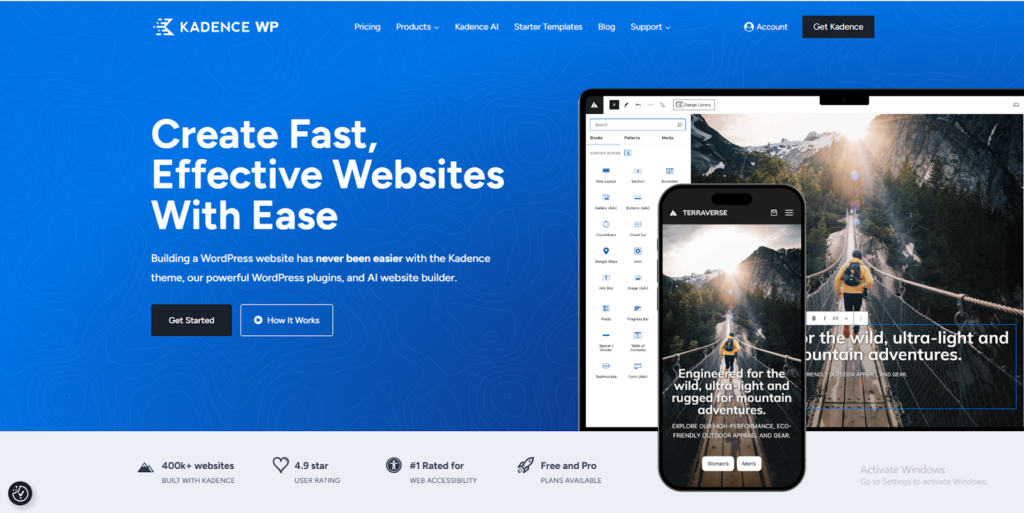
Kadence combines performance with built-in features that eliminate common plugin dependencies. The Kadence Blocks plugin extends functionality without sacrificing speed.
Why it’s rising fast:
Block-based themes work natively with Gutenberg. Built-in header/footer builder. Dynamic content and conditional display options. Extensive typography controls.
Best for: Users preferring block-based editing over traditional page builders.
The details: Free version available, premium extensions $129/year, 83/100 PageSpeed mobile score
Best Free WooCommerce Themes Worth Using in 2026
Premium themes offer more features, sure. But these free options deliver solid performance:
Storefront – Official WooCommerce theme, clean and simple. Lacks advanced features but loads reliably. Works best for basic stores with under 100 products.
Neve – Lightweight (under 50KB) with AMP support. Strong mobile performance. Limited customization in the free version, though.
Blocksy – Modern block-based theme with good WooCommerce integration. Clean code and an active development team.
Speed vs Features: Finding Your Balance
Fast themes sacrifice some visual options. Feature-rich themes add weight. Where’s the sweet spot?
Small Stores (Under 100 Products):
Shoptimizer or GeneratePress. Conversion features matter way more than extensive customization.
Large Catalogs (1000+ Products):
Kadence or Astra. Product filtering and Ajax load become essential with that many SKUs.
Visual Brands (Fashion/Jewelry):
Flatsome or Divi. Design flexibility justifies slightly slower load times when brand image drives sales.
Setting Up Your WooCommerce Theme Right
Even fast themes need proper configuration:
Choose solid hosting – Shared hosting limits performance regardless of theme choice. WooCommerce stores benefit from managed hosting optimized for database queries and product catalogs.
Enable caching properly – Use server-level caching or wordpress performance optimization plugins to reduce load times significantly.
Optimize images religiously – Compress product photos before uploading. WebP format reduces file sizes by 30-50% without visible quality loss.
Minimal plugins only – Install only essential functionality. Every plugin adds load time, even small ones.
Test real performance – Use PageSpeed Insights and GTmetrix with actual products loaded, not empty demo content that doesn’t reflect reality.
Final Recommendation
The best WooCommerce theme balances your specific priorities.
For maximum conversions: Choose Shoptimizer. Built-in conversion tools and the fastest mobile performance justify the premium price tag.
For flexibility: Choose Astra or GeneratePress. Lightweight performance with extensive customization options through page builders.
For visual design: Choose Flatsome. Bestselling theme with a proven track record and a powerful built-in page builder.
Start with free versions when available. Test with real products and actual mobile devices. Measure PageSpeed scores with your full WooCommerce shipping setup, not empty demos.
Your theme creates the foundation, but reliable hosting, optimized images, and strategic product presentation drive final results. The fastest theme in the world won’t save a store on terrible hosting, and the prettiest design won’t convert visitors if pages take 6 seconds to load.
Choose wisely, test thoroughly, and focus on what actually drives sales.
FAQs
Shoptimizer consistently scores highest in speed tests, with a 94/100 mobile PageSpeed score, because it’s built exclusively for WooCommerce with performance optimization as its core focus. GeneratePress and Astra tie for second place at 85/100 mobile scores.
Free themes like Storefront work fine for basic stores with under 100 products. Premium themes include conversion features – trust badges, Ajax cart, quick view – that typically require separate plugins with free themes.
Both work well, honestly. Elementor offers more visual control and pre-built templates. Gutenberg (block editor) is lighter and loads faster. Kadence and Astra support both, so you can choose based on your preference and comfort level.
Critical. 73% of ecommerce sales happen on mobile devices in 2026. Google’s mobile-first indexing means your mobile site performance directly affects search rankings. Always check mobile PageSpeed scores first, not just desktop numbers.
Yes. Products, orders, and customer data stay in WooCommerce’s database, not your theme. You’ll need to reconfigure appearance settings and possibly rebuild custom layouts. Always back up before switching – a basic precaution that saves headaches.
WooCommerce-specific themes like Shoptimizer include built-in conversion features and are optimized for product pages and checkout flows. Multipurpose themes like Astra or GeneratePress work for any website type with WooCommerce support added.
Developer websites (like Shoptimizer, Astra, and GeneratePress) typically offer better support and direct updates. ThemeForest themes (like Flatsome and WoodMart) have larger marketplaces, but quality support depends on individual authors.
Most WooCommerce themes work with any WordPress hosting . However, performance varies significantly based on hosting quality. If you’re experiencing slow load times even with a fast theme, your hosting might be the bottleneck. BigCloudy offers WooCommerce-optimized hosting plans specifically designed for online stores that need consistent performance under traffic spikes.