


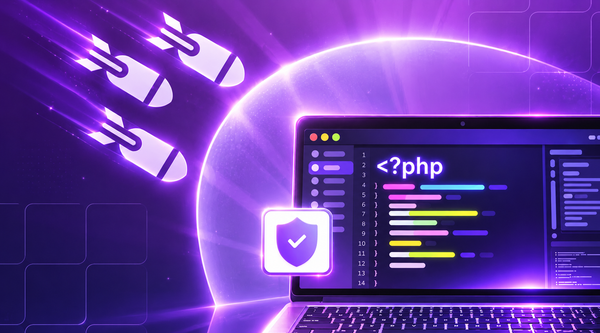
BigCloudy completed security updates on October 22, 2026, to address two critical PHP vulnerabilities known as php2shell. Disclosed on October 21, the flaws could allow attackers to execute code remotely or access sensitive memory in affected PHP environments.
The company said its managed hosting environment was not vulnerable to the circulating attacks. It also introduced additional safeguards while preparing the PHP patches. The rollout has been completed across its managed hosting servers, while VPS hosting customers remain responsible for maintaining their own PHP installations.
What Are the PHP Vulnerabilities?
PHP is a server-side programming language used by websites and applications such as WordPress, WooCommerce, Magento, Drupal, and Joomla.
The php2shell vulnerabilities are tracked as CVE-2026-109618 and CVE-2026-109619. Both have a reported CVSS v4.0 score of 9.2 out of 10.
The flaws involve errors in PHP’s memory handling:
- CVE-2026-109618: An error during out-of-memory handling can leave internal request data partially initialized, potentially allowing remote code execution.
- CVE-2026-109619: Stale global state can retain references to released memory, creating another potential path to remote code execution.
Successful exploitation could expose sensitive information, enable unauthorized code execution, or disrupt website operations.
Affected environments include PHP-FPM, Apache with mod_php, php-cgi, FrankenPHP, and LiteSpeed. Vulnerable releases include versions before PHP 8.5.12, 8.4.27, 8.3.36, and 8.2.35. Older PHP branches may also require security patches, depending on vendor support.
Updating WordPress, themes, or plugins alone will not fix these flaws. The underlying PHP installation must also be patched.
How BigCloudy Fixed the PHP Flaws
On October 21, BigCloudy outlined its response, which included firewall rules, PHP configuration changes, and security patches.
Blocking Known Attacks
Additional ModSecurity firewall rules were introduced to detect and block requests matching known php2shell exploit patterns.
These rules provide another layer of protection, but attackers may adapt their requests to bypass detection. Firewall filtering cannot replace a PHP security patch.
Disabling a Vulnerable PHP Feature
The company disabled session.upload_progress in specified LiteSpeed, PHP Selector, cPanel PHP-FPM, and phpMyAdmin configurations.
This feature tracks file upload progress. Disabling it helps reduce exposure to a known attack path associated with CVE-2026-109619. Changes were also introduced to reject malformed upload requests.
These measures reduce risk but do not replace the need to patch vulnerable PHP versions.
Completing the PHP Update
On October 22, 2026, at 06:44 UTC, BigCloudy confirmed that the PHP security update was complete across its managed hosting servers.
The fixed PHP releases are:
- PHP 8.5.12
- PHP 8.4.27
- PHP 8.3.36
- PHP 8.2.35
The company also reported no increase in malware infections or unusual activity across its managed hosting infrastructure after the vulnerabilities became public.
Customers can consult the official security announcement and service status page for further updates.
What Customers Need to Do
The steps required depend on whether the hosting provider manages PHP or the customer maintains the server.
Managed Hosting Customers
Customers using managed Web Hosting, Agency Hosting, and cPanel Hosting do not need to install the patch manually, according to the provider.
Some websites may still display PHP 8.5.11 even when the security fix is installed. This can happen when the fix is incorporated into an existing PHP version without changing its displayed version number.
To check the installation:
- Sign in to the hosting dashboard.
- Open Websites and select the relevant site.
- Navigate to PHP Info.
- Check the PHP build date.
According to the provider, a build date of October 21, 2026, or later indicates that the fix is installed.
VPS Customers
VPS customers must check their own installations because managed hosting updates do not automatically cover self-managed servers.
Administrators should:
- Install a fixed, supported PHP release or an appropriate vendor security patch.
- Restart relevant PHP services and workers when required.
- Confirm that the active PHP build includes the security fix.
If an immediate update is not possible, temporarily disabling session.upload_progress in php.ini or the PHP-FPM pool configuration can help reduce exposure. Unnecessary uploads should also be disabled, and sensible upload limits should be enforced.
For administrators using cPanel, a helper script is available to disable PHP upload progress as a temporary mitigation. The following commands download and run the script:
curl -fsSL -o php2shell-security-fixes.sh https://www.bigcloudy.com/scripts/php2shell-security-fixes.sh
bash php2shell-security-fixes.sh
Before running the script, review its contents and verify that it is appropriate for your server configuration. The first command downloads the script, while the second executes it. As with any server-side script, check the source before execution and ensure you have the necessary administrative permissions.
Disabling upload progress can reduce exposure to a known attack path, but it doesn’t resolve both vulnerabilities. Installing the appropriate PHP security patch remains the recommended solution.
PHP Security Across Hosting Platforms
PHP security maintenance also depends on the server environment and the tools used to manage it. Control panels such as cPanel, Plesk, Hestia, and Cyber Panel provide interfaces for managing websites and server settings. Administrators should check their PHP versions and update procedures within their particular setup.
The LAMP stack consists of Linux, Apache, MySQL or MariaDB, and PHP. In this environment, keeping PHP patched is essential even when the operating system, database, and website application are otherwise up to date.
Using a hosting control panel does not automatically guarantee that every installed PHP version has received the necessary security fix. Administrators should verify the active PHP runtime and confirm that it is protected.
How to Protect PHP Websites
The php2shell disclosure highlights why server-side software needs regular maintenance alongside website applications.
Website owners and administrators should follow these practices:
- Keep PHP updated: Install a fixed release or apply a security patch supplied by the operating system vendor.
- Check hosting responsibilities: Confirm whether PHP maintenance is automatic or requires manual action.
- Review PHP support status: Older branches may no longer receive updates from the PHP project. Check whether the operating system vendor provides backported security fixes.
- Review upload settings: Disable unnecessary upload features and configure appropriate request and file size limits.
- Update website components: Keep CMS platforms, themes, plugins, and frameworks current to address separate security risks.
- Follow security advisories: Monitor PHP announcements and hosting provider notices for new fixes and mitigation guidance.
Administrators managing their own servers should consult the official PHP security advisory and relevant operating system vendor notices before changing configurations.
Key Takeaways
The php2shell vulnerabilities show why layered security and timely patching matter. Firewall rules and configuration changes can reduce exposure, but they cannot replace updates to the underlying PHP runtime.
Managed hosting customers have been advised that the security fix is already installed, while VPS users must verify and update their own environments.Whether a website uses a LAMP stack or a control panel such as cPanel, Plesk, Hestia, or Cyber Panel, administrators should confirm that their active PHP installation is patched. Regular maintenance remains essential for reducing the risk of remote code execution and other server-side security threats.