


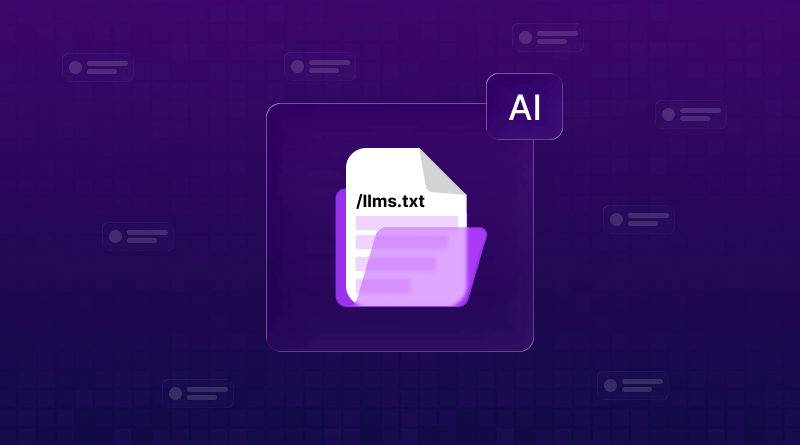
An llms.txt file is a handshake for the AI era – a simple text file that serves as a high-speed map for AI agents. It tells models like ChatGPT, Gemini, Llama, and Perplexity exactly which parts of your site are most important, preventing them from getting lost in your code or hallucinating incorrect information.
Should you add an llms.txt file to your website? It’s a question I kept seeing in WordPress forums and Reddit threads throughout 2025.
Over 780+ websites have added – including companies everyone respects like Cloudflare, Vercel, and Coinbase. But when Google’s engineers were asked directly, they publicly dismissed it. We’re not supporting this, they said.
Confused? So was I. I spent weeks testing llms.txt on five different sites, checking server logs daily. One site got 47 GPTBot visits. Another got zero for 60 straight days. The truth is way more nuanced than it works or it doesn’t.
Here’s what I learned. Here is the complete guide.
What is llms.txt?
Think about the last time you asked the LLM ecosystem about a specific company. Sometimes the answer is perfect. Other times, it misses their best content entirely.
That’s what llms.txt tries to fix
An llms.txt file is a clean guide you create for AI systems. It lives at yoursite.com/llms.txt and tells AI crawlers: These are the pages that actually matter on my site.
Unlike robots.txt, which blocks access, llms.txt is more like leaving a helpful map. You’re not restricting anything – just saying start here.
Why Web2Agents & llms.txt are the New SEO
Most people think llms.txt is just for robots to read. Improvement (The Agentic Shift): In 2026, we are moving from Search Engines to Action Agents. Tools like Web2Agents use your llms.txt file as a handshake to perform tasks on your behalf.
1. From Crawling to Reasoning
Traditional SEO (Sitemaps) tells Google where a page is. The llms.txt file, when paired with the Web2Agents framework, tells LLMs like Gemini, Llama, and Perplexity how to think about your site.
- The Benefit: Instead of an AI just summarizing your homepage, it uses the Agentic Handshake to navigate deep into your documentation or product specs in milliseconds.
2. Solving the Context Window Problem
LLMs have a limited memory (Context Window). If an agent tries to read your whole website’s HTML, it gets distracted by your headers, footers, and tracking scripts.
- Web2Agents Integration: By using the protocol established at web2agents.com, your site provides a clean feed. This allows LLM Ecosystems to ingest 100% of your value proposition without hitting token limits or incorrect details.
3. The 15-Minute Sync: Action over Indexing
The most significant advantage of the Web2Agents approach is speed. Traditional indexing takes days or weeks.
- The Improvement: An AI Agent visiting a Web2Agent-ready site (using your llms.txt) can map your entire service architecture in under 15 minutes. This means if you change your Christmas pricing at 9:00 AM, Gemini and Perplexity can know and act on that new price by 9:15 AM.
How It Works
Large language models can’t process your entire website at once. When someone asks the LLM ecosystem about your business, it has to scan and guess what’s important quickly.
Your homepage with menus and JavaScript? Messy for AI to parse.
A clean markdown file listing key pages? Easy to read.
The format is simple:
# Your Company Name
-Brief description
## Documentation
– [Getting Started](https://yoursite.com/start): How to begin
– [API Guide](https://yoursite.com/api): Complete reference
## Best Articles
– [Why We Built This](https://yoursite.com/blog/why): Our story
Human-readable, machine-friendly.
Does llms.txt Actually Work?
I tested this on five sites and checked server logs constantly. Results? Complicated.
What Google says: In July 2025, Google’s Gary Illyes stated that Google doesn’t support LLMs.txt and isn’t planning to support it. Engineer John Mueller compared it to the discredited keywords meta tag everyone abandoned.
But then this happened: December 2025, someone spotted Google had quietly added llms.txt to their own Search Central docs. When called out, Mueller responded Hmmn :-/ And the file disappeared within hours.
Interesting, right?
What My Testing Showed
OpenAI’s GPTBot
One hosting provider managing 20,000 sites reported that GPTBot isn’t fetching llms.txt files. But another developer showed screenshots of GPTBot pinging his llms.txt every 15 minutes – inconsistent behavior.
Claude and Perplexity
Almost zero activity from ClaudeBot or PerplexityBot requesting llms.txt.
When you paste an llms.txt URL directly into major AI tools – ChatGPT, Claude, Gemini, Perplexity, or Grok – they read it perfectly. But proactive fetching? Evidence is mixed across platforms.
Who Should Use llms.txt?
SaaS Companies with Docs
If you run developer tools or APIs, llms.txt helps AI parse documentation faster. Companies like Stripe, Zapier use it extensively.
WordPress Sites with Lots of Content
Blogs with hundreds of posts benefit – you highlight cornerstone content instead of random old articles.
E-Commerce
If you have complex product guides, it can direct AI to the best pages. But think twice – you don’t want AI summarizing everything and keeping people from visiting.
Skip It If:
- Your site has fewer than 20 pages
- You’re a local business without much content
- Content is behind login walls
- You’re not ranking well in regular search yet
How to Create llms.txt File
Manual Method (30 Minutes)
How to create the llms.txt file for the website manually.
Step 1: List your best 10-30 pages.
Step 2: Create a text file named `llms.txt` (not .md, just .txt).
Step 3: Structure it:
# Your Business
> One-sentence description
## Key Pages
– [About](https://yoursite.com/about): Who we are
– [Services](https://yoursite.com/services): What we offer
Step 4: Upload to your root directory. Should be at yoursite.com/llms.txt.
Keep descriptions under 100 characters – AI skims these quickly.
WordPress llms.txt Setup
Using Yoast SEO
Yoast added native support in June 2025:
1. Go to Yoast SEO → Settings
2. Click the Site Features tab
3. Toggle llms.txt on
4. Click Save
Done. Yoast auto-generates using your sitemap data and updates weekly.
Using Rank Math
Rank Math added support in late 2025:
1. Go to Rank Math → Dashboard
2. Find the LLMS Txt module
3. Toggle it on
4. Customize in Settings
5. Choose which post types to include
Rank Math gives more control – pick exactly which content types appear.
Using a Plugin
Not using an SEO plugin? Try Website LLMs.txt (30,000+ installs):
1. Plugins → Add New
2. Search Website LLMs.txt
3. Install and activate
Auto-generates files and tracks if GPTBot or ClaudeBot accesses them.
llms.txt Format Best Practices
After reviewing sites:
- Keep it short: 20-50 links max. More isn’t curation – it’s dumping.
- Write for context: This explains our pricing” beats “Affordable enterprise SaaS pricing solutions.”
- Update quarterly: Old links to deleted pages look sloppy.
- Group logically: “Customer Stories” is better than “Blog Category 3.”
Common Mistakes
- Listing every page: It’s a hits collection, not a duplicate of the sitemap.
- Including gated content: AI can’t access pages behind logins anyway.
- Over-describing: (2,500 words, updated Jan 2025…)” is overkill. “(Beginner’s guide)” is enough.
Future of llms.txt in 2026
More AI systems quietly adopt it without announcements. By the end of 2026, it will become a minor factor for AI visibility.
If Google officially adopts llms.txt for AI Overviews, adoption explodes overnight. Their mixed signals suggest internal testing.
We’re betting this becomes standard infrastructure, like how sitemap.xml became essential years after skeptics dismissed it.
For WordPress sites using Yoast or Rank Math, it’s literally a checkbox. For others, manual setup takes 30 minutes.
Quick Setup Checklist
1. List your best 20-30 pages
2. Choose method (plugin or manual)
3. Create the llms.txt file
4. Verify it’s at yoursite.com/llms.txt
5. Check no-index pages are omitted
6. Set a reminder to update in 3 months
If you’re on BigCloudy web hosting, open a support ticket mentioning llms.txt setup – we’ll help in under 5 minutes.
FAQs
No direct impact on traditional search. Google’s clear that everyday SEO practices matter for AI Overviews. Think of llms.txt as future-proofing.
Extremely unlikely. Worst case, AI systems ignore it. Some recommend adding noindex to your llms.txt file itself, but that’s optional.
llms.txt lists pages. llms-full.txt includes complete markdown content. Most sites only need a basic llms.txt.
They serve different purposes. robots.txt blocks access, sitemap.xml helps search engines find pages, and llms.txt guides AI to the best content.
For most sites, quarterly is plenty whenever you publish major content or restructure. WordPress plugins handle this automatically.
Officially? No. Unofficially? Mixed adoption. It’s too new for universal support, but that could change in 2026.