



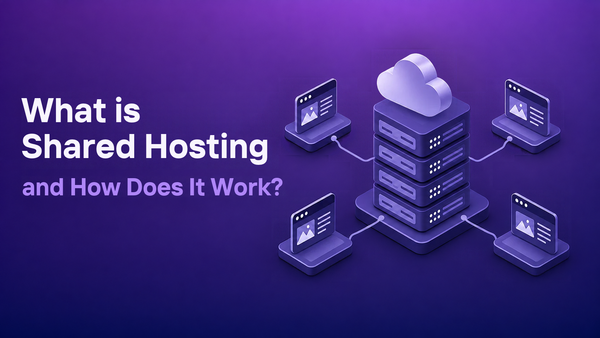
Why pay for an entire server when your website only needs a small share of its resources? You don’t need an entire server for yourself if you want to get your website online without spending too much on hosting. You probably don’t want the stress of managing one either.
With shared hosting, multiple websites can use the resources of a single physical server. You still get your own hosting account while sharing the server’s processing power, memory, and storage with other websites. This makes it a good place to start for beginners, bloggers, freelancers, and small businesses that don’t need extensive server resources.
In this guide, we’ll explain how shared hosting works, its main features, its pros and cons, and how to decide whether it’s the right option for your website.
Shared hosting is a type of hosting service where multiple websites live on a single physical server and share its hardware resources. It is generally one of the simplest and most affordable types of web hosting.
Let’s say you and four other small business owners rent different rooms in the same building. Everyone has their own space, but you still share the building’s electricity, water supply, and other facilities.
This is how shared hosting works. Your website has its own files and account, but it shares the server’s resources, like CPU (Central Processing Unit), RAM (Random Access Memory), storage space, and bandwidth with other websites.
Shared hosting involves the following key steps:
1. First, the hosting provider sets up a physical server to host multiple customer accounts.
2. Each account has its own space for website files and may include databases, domain management, email accounts, and FTP/SFTP access. The hosting plan also sets limits on resources such as CPU usage, memory, storage, and processes.
For website owners who prefer managing their hosting environment through a control panel, BigCloudy’s cPanel hosting has a cPanel-based environment for managing websites and hosting resources.
4. The hosting provider uses several layers to isolate files, databases, and credentials so other users cannot access them.
5. When someone visits your website, their browser sends a request to the server. The server identifies the requested website, retrieves its files, and sends the content to the visitor’s browser.
6. Shared users only manage their site via a control panel, while the hosting provider manages technical stuff like hardware, security patches, and updates.
Multiple websites on one server: Many customer accounts share the same physical server, including its CPU, RAM, storage, and network capacity.
Separate hosting accounts: Each customer has an isolated account with its own files, databases, email accounts, and domain configuration, even though the resources are shared.
Resource limits: The storage, bandwidth, CPU usage, RAM, processes, and sometimes inodes allocated to you are based on your plan. These prevent one site from consuming the entire server.
Low cost: Shared hosting is usually the cheapest paid hosting option because the server’s cost is divided among many users.
Managed infrastructure: The hosting provider manages the physical server, operating system, web server software, security patches, monitoring, and hardware.
Control panel: Most plans include cPanel, Plesk, or a custom dashboard for managing files, domains, databases, email, SSL, and backups.
One-click app installation: You don’t need a manual server configuration for website setup, as many hosts provide installers for WordPress, Joomla, Drupal, and similar applications.
Email hosting: Depending on your plan, some shared hosting plans include email hosting, allowing you to create addresses like info@yoursite.com.
SSL certificates: Certain plans include SSL certificates to enable HTTPS
and help secure the connection between your website and its visitors.
Backups: Some hosting plans include automatic backups, which can help you restore website data if something goes wrong.
The main alternatives to shared hosting are VPS hosting, cloud hosting, and dedicated hosting. Let us compare all hosting options for better understanding:
| Feature | Shared Hosting | VPS Hosting | Cloud Hosting | Dedicated Hosting |
|---|---|---|---|---|
| Infrastructure | Multiple websites share the resources of one physical server. | It has one physical server split into virtual slices. | Many servers work together as one pooled system. | One physical server is dedicated to a single customer. |
| Control and access | Offers limited control, with most server settings managed by the hosting provider. | Often provides root access so the owners can customise their virtual environment. | The level of control you can access depends on the provider. | Offers extensive control over the server and its configuration. |
| Performance | Performance can be affected by other websites sharing the same server resources. | It performs well but is limited by one single server. | Handles traffic spikes better by drawing resources from many servers. | Delivers consistent performance because the server’s resources are not shared with other customers. |
| Scalability | Upgrading to a higher plan may be necessary as your website grows. | Users must manually upgrade the server. | Can scale resources with fewer disruptions. | Scaling usually requires hardware upgrades or additional infrastructure. |
| Reliability/uptime | Depends largely on one server, so server problems can affect multiple websites. | Depends on only one server, and if it fails, it can cause downtime. | If one server fails, the workload can be distributed across or supported by other servers. | Depends on one physical server, so hardware failure can cause downtime unless redundancy is configured. |
| Security and isolation | Websites share server resources, so security depends partly on the provider’s safeguards and proper account separation. | You are isolated from other users, but you have to manage most security issues yourself. | You are also isolated and still have extra protection. | You have a server dedicated to your website, giving you greater control over security configurations. |
| Best for | Beginners, personal websites, blogs, and small businesses. | Growing websites, developers, and businesses that need more control over their hosting environment. | Websites and applications with changing traffic or greater scalability needs. | High-traffic websites, resource-intensive applications, and businesses that need dedicated server resources. |
Pros and Cons of Shared Hosting
Like any hosting option, shared hosting comes with its own advantages and limitations. Here are some of the ups and downs you might encounter while sharing a server with other websites.
Advantages
- Shared hosting is the most budget-friendly option.
- It is beginner-friendly. Users do not need to have advanced technical or server-administration skills.
- Users get pre-configured tools like control panels, one-click app installers, etc.
Disadvantages
- When another website on the same server uses excessive resources, your website’s performance may be affected
- Your resources are strictly limited to the RAM, CPU, and disk activity you’re allotted.
- You do not get root access for custom server-wide configurations
Who Should Use Shared Hosting?
- Beginners: Choose shared hosting if you are a beginner who wants to launch simple landing pages or personal projects on a tight budget.
- Small businesses & freelancers: It is also a good option for small business owners & freelancers who need websites to showcase their services, products, or portfolios.
- Writers and bloggers: Shared hosting suits writers and bloggers, including WordPress users, as their websites get relatively steady traffic and don’t need extensive server resources.
When Is Shared Hosting Not the Right Choice?
- High-traffic websites: If your website regularly gets heavy traffic or sudden spikes, check whether your shared hosting plan can handle the demand. You may need a more powerful hosting option if you exceed its resource limits.
- Large E-Commerce Stores: Online shops handling many simultaneous checkouts, product catalogues, and secure customer databases should also avoid it.
- Resource-Heavy Applications: Shared hosting is not advisable for custom web apps or software requiring root access, specialized server configuration, or dedicated processing power.
Shared Hosting Plans and Pricing
Shared hosting usually costs about $1-10 per month for the first term. Renewal prices are more likely to rise to about $8-30 per month. The general cost still depends on the hosting provider, storage, and number of websites you want to host. Explore BigCloudy’s current plans to explore our shared hosting plans.
Frequently Asked Questions
What is shared hosting in simple terms?
Shared hosting is multiple websites sharing a single physical server. You still get your own hosting account while sharing the server’s processing power, memory, and storage with other websites.
How many websites can I host on a shared server?
You can host between one website and unlimited websites on a shared hosting plan. The exact number depends on your hosting plan and provider. For example, BigCloudy’s Essential plan supports one website, while its higher-tier plans support 100, 200, or unlimited websites, depending on the package. Check the current plan details before choosing.
Is shared hosting safe?
Yes, shared hosting can be safe for basic websites and small businesses, provided your hosting provider uses modern security features. You also have to maintain your own site hygiene.
Can I upgrade from shared hosting to VPS later?
Yes. You can always upgrade from shared hosting to a VPS later. Most hosting providers support users who want to migrate between hosting plans.
How do I know when to upgrade my hosting plan?
Consider upgrading your hosting plan if your website loads slowly, experiences frequent downtime, or regularly exceeds its allocated resources. You may also need to upgrade as your traffic grows or your website requires more storage, better performance, or additional features. Check your hosting account’s resource usage to determine whether your current plan can still meet your website’s needs.
Does shared hosting include email?
Many shared hosting plans include domain-based email accounts, such as info@yoursite.com. However, the number of accounts and available email features depend on the hosting plan.
Does shared hosting affect SEO?
Using shared hosting does not automatically harm your search rankings. According to Google, other key aspects of a website influence how Google Search evaluates a page. Your hosting environment can however affect things like website speed and availability, which affects user experience.